
Sizes as options
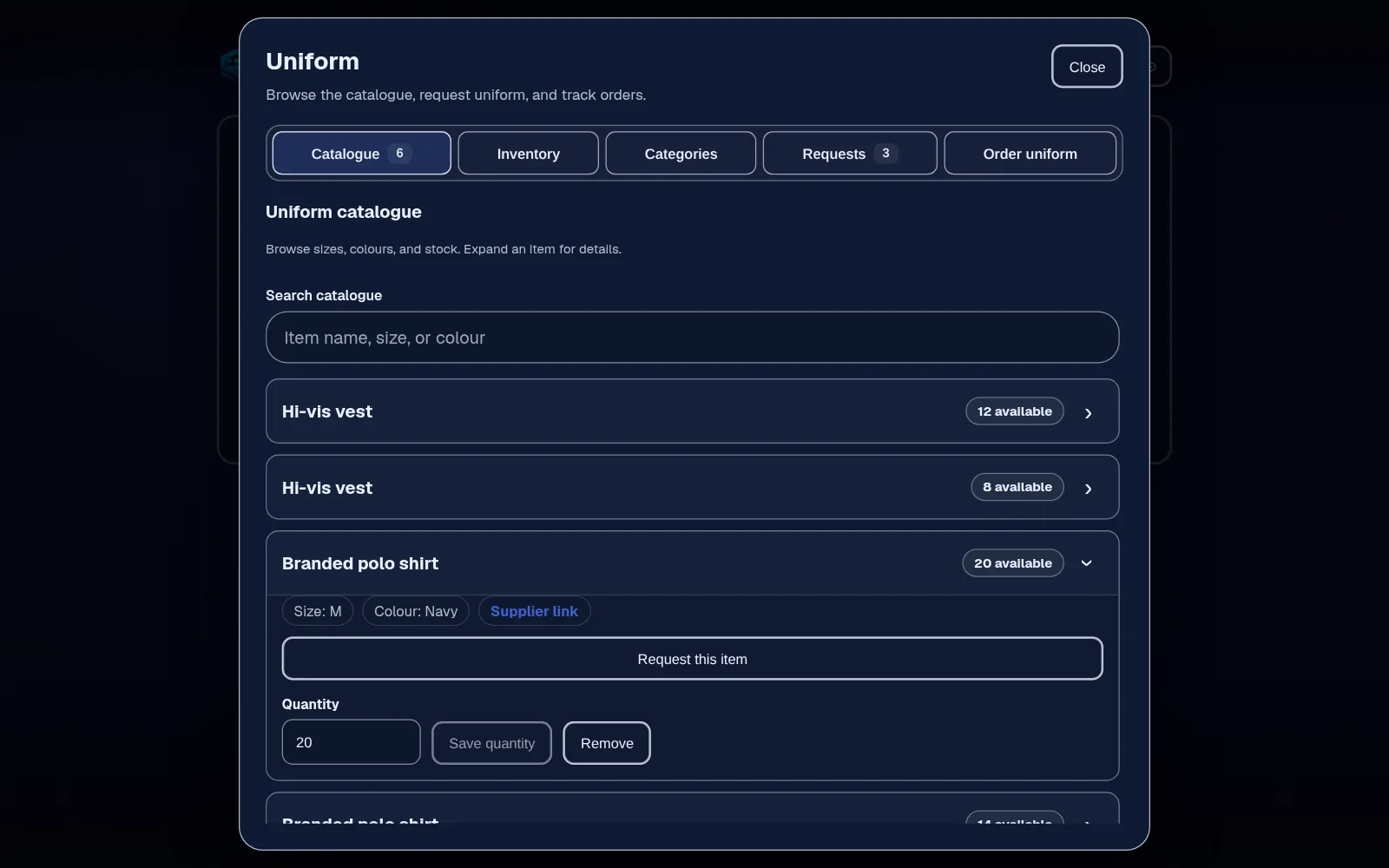
Each item lists the sizes it comes in, so a request says exactly which item and size, and a manager doesn't have to ask again. Add a separate item for each colour.
Uniform requests · From Team
Keep your uniform items, sizes and stock in one list. Staff request what they need from their phone, and a manager processes or declines each request with the history kept.
Equipment and uniform tools are on Team, £45 a month for up to 25 employees.
The problem
Uniform requests arrive as texts, voice notes and comments in passing. Someone checks the store cupboard, finds the wrong size, and the request is forgotten until the person asks again.
Nobody's quite sure how many polo shirts are left in large, who had a new jacket last month or which sizes to reorder.
How it works in Employr
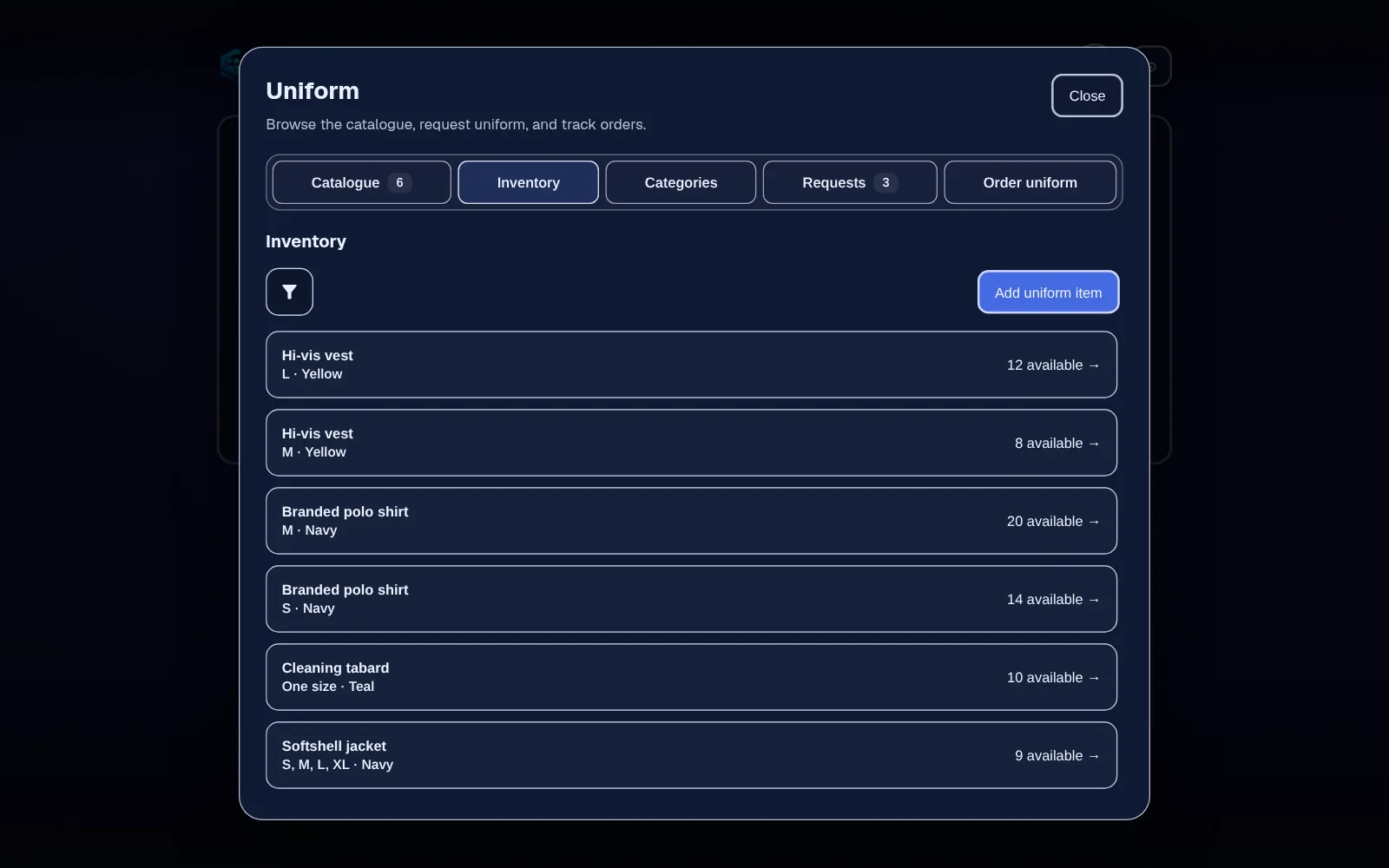
Add each item with the sizes it comes in, its colour, a supplier link and, if you track it, how many you have, so staff choose from what really exists rather than sending a free-text message.
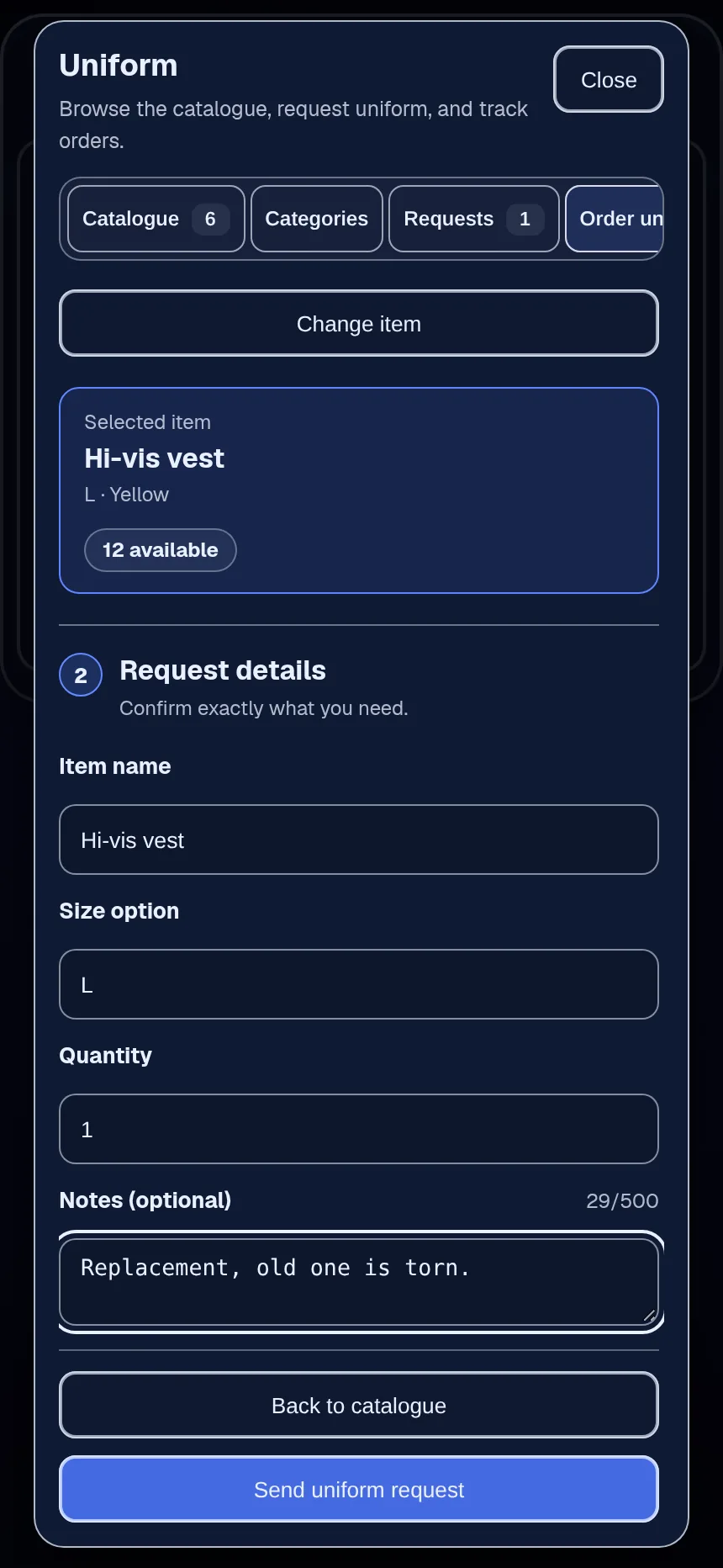
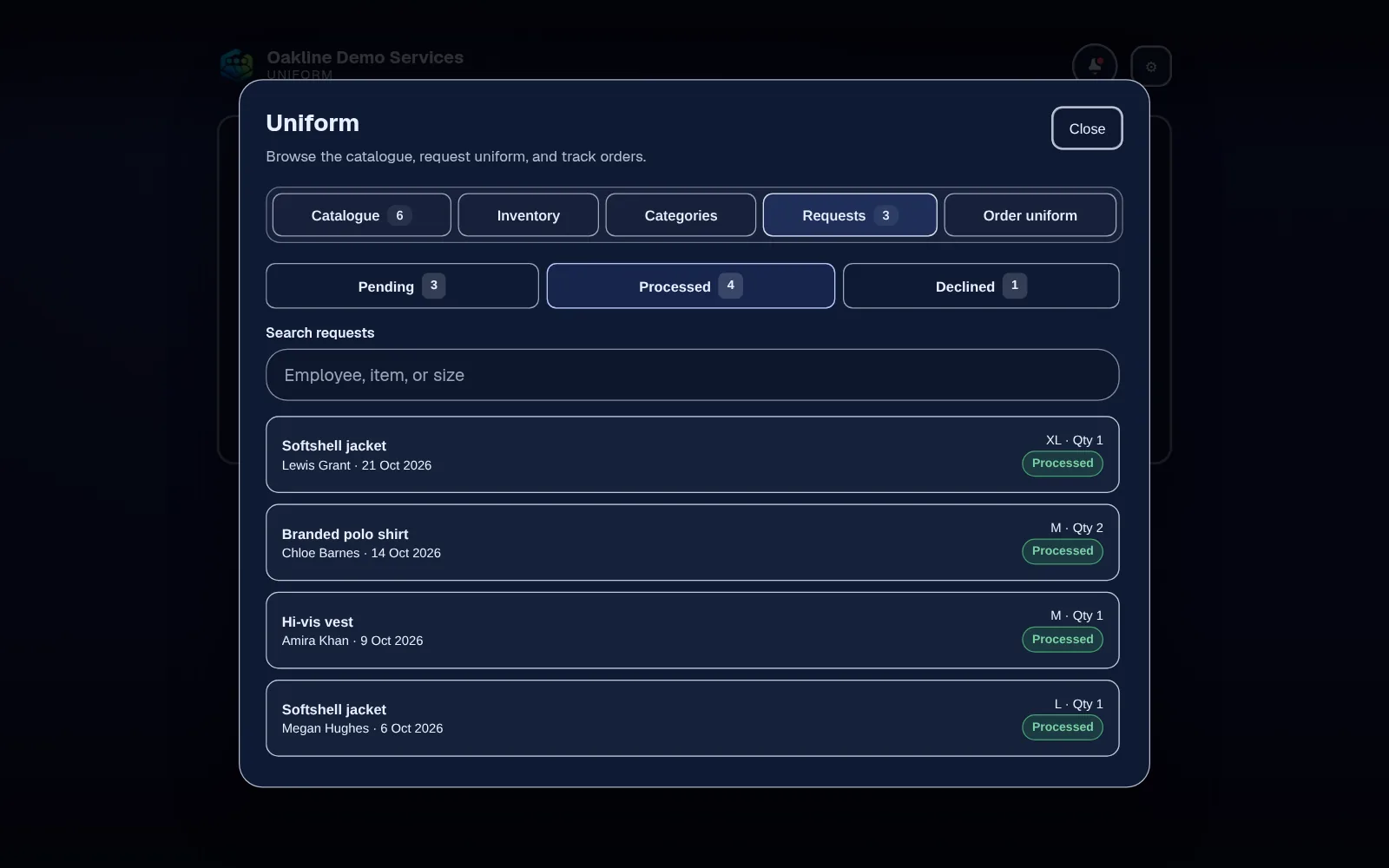
The employee opens Uniform on their phone, picks the item and the size they need, and sends the request. No more voice notes.
Requests land in one queue. A manager checks stock and company policy, then processes or declines each one, so everyone's handled the same way.
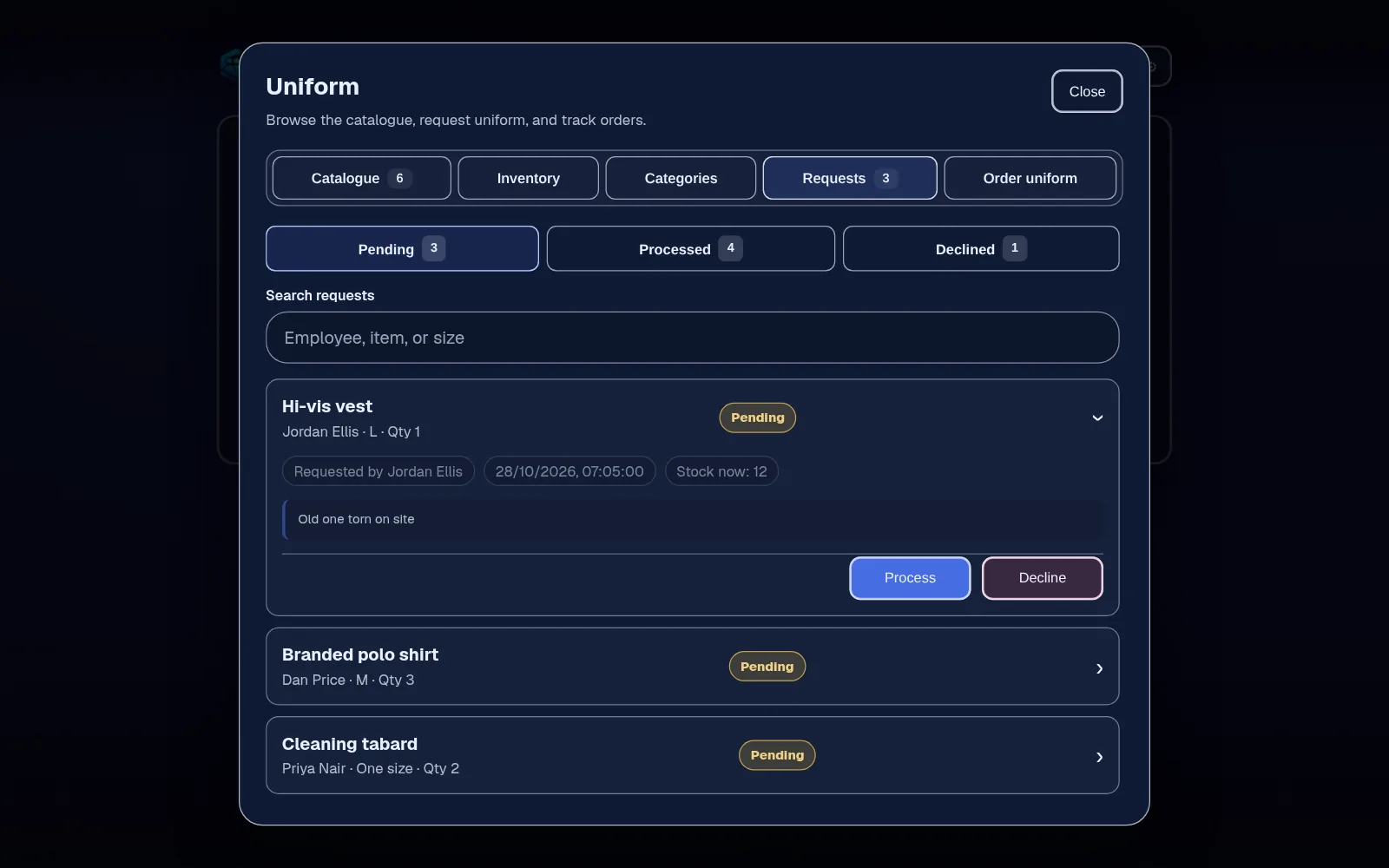
Add stock as deliveries arrive. When a request is processed, tracked stock comes down automatically, so the next decision is based on real numbers. The request history stays, so you can see who asked for what and when.
In detail
Each item lists the sizes it comes in, so a request says exactly which item and size, and a manager doesn't have to ask again. Add a separate item for each colour.
Requests from every site come into the same list, rather than to whichever manager the employee happens to message.
Employees can request. Only the roles you trust can process or decline requests or change stock, and you set that in Settings.
The same Team plan includes equipment sign-out, so uniform and tools sit in one place rather than two systems.
Employr records uniform stock and requests. It doesn't order from your supplier, take payment or deduct the cost of uniform from anyone's pay. It doesn't decide what protective equipment your work needs: if you issue PPE, your risk assessment decides what's required, and the law expects it to be provided free of charge.
Keep exploring
Questions
Yes. They open Uniform in the Employr web app on their phone, choose the item and size, and send the request. Native Android and iOS apps are in development.
A manager in a role you allow. They see the request in the queue and choose Process or Decline. Staff without that permission can only make requests.
Yes. Each item has a colour, the sizes it comes in, a supplier link if you want one and, if you track it, a stock count. Stock is counted per item rather than per size, so if you need a separate count for each size, add each size as its own item.
It replaces the paper or emailed uniform order form for requests inside your company. It doesn't place orders with your supplier.
Employr doesn't decide what PPE is needed or check that it's suitable. That comes from your risk assessment. Equipment that's signed out and returned, like harnesses or test kit, is better handled through equipment sign-out.
Equipment and uniform tools are on Team and above. Team is £45 a month for up to 25 employees.
Try it with your team
Team adds uniform, equipment sign-out, projects and safety documents. Start free and upgrade when you need it.