
Each clock entry
The date, start and finish time, and the project if you use projects. Location is attached only if the employee's device has already given permission, and it's never needed to clock in.
Timesheets & corrections · From Free
Your team clocks in and out on a phone, tablet or computer. When something's wrong, they send a correction request, so you can see what changed and why.
Clock-ins and time reports are on the Free plan, for up to 5 employees.
The problem
Someone forgets to clock out. A shift runs late and nobody writes it down. A sheet goes missing in the van. By the time you check the hours, the details have gone, and the fix is a guess or an argument.
Even with a spreadsheet, a correction usually means typing over the old number. Nobody can see what it said before or who changed it.
How it works in Employr
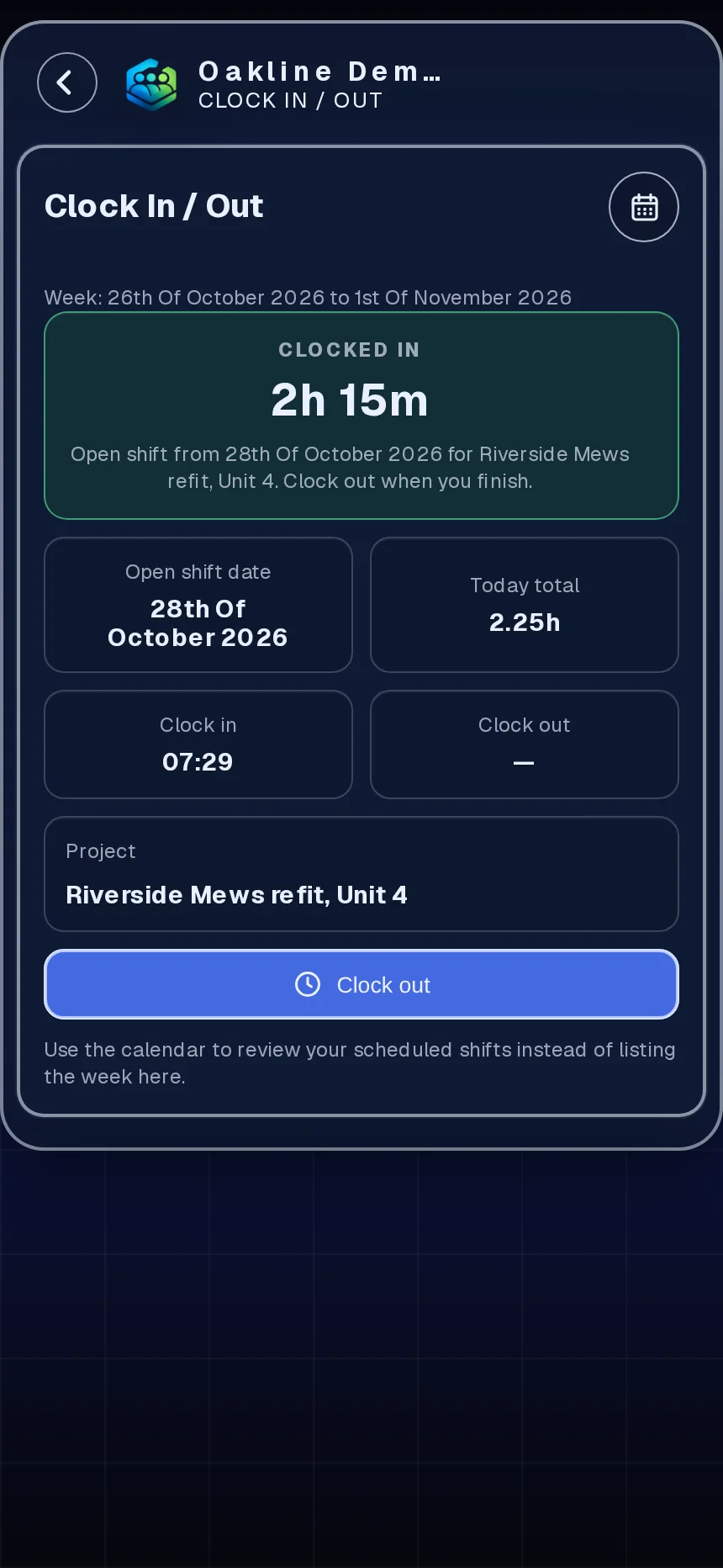
Staff clock in when work starts and out when it ends, using the web app on their phone. If you use projects, they pick the job first so the hours land in the right place. Up to five entries a day covers split shifts.
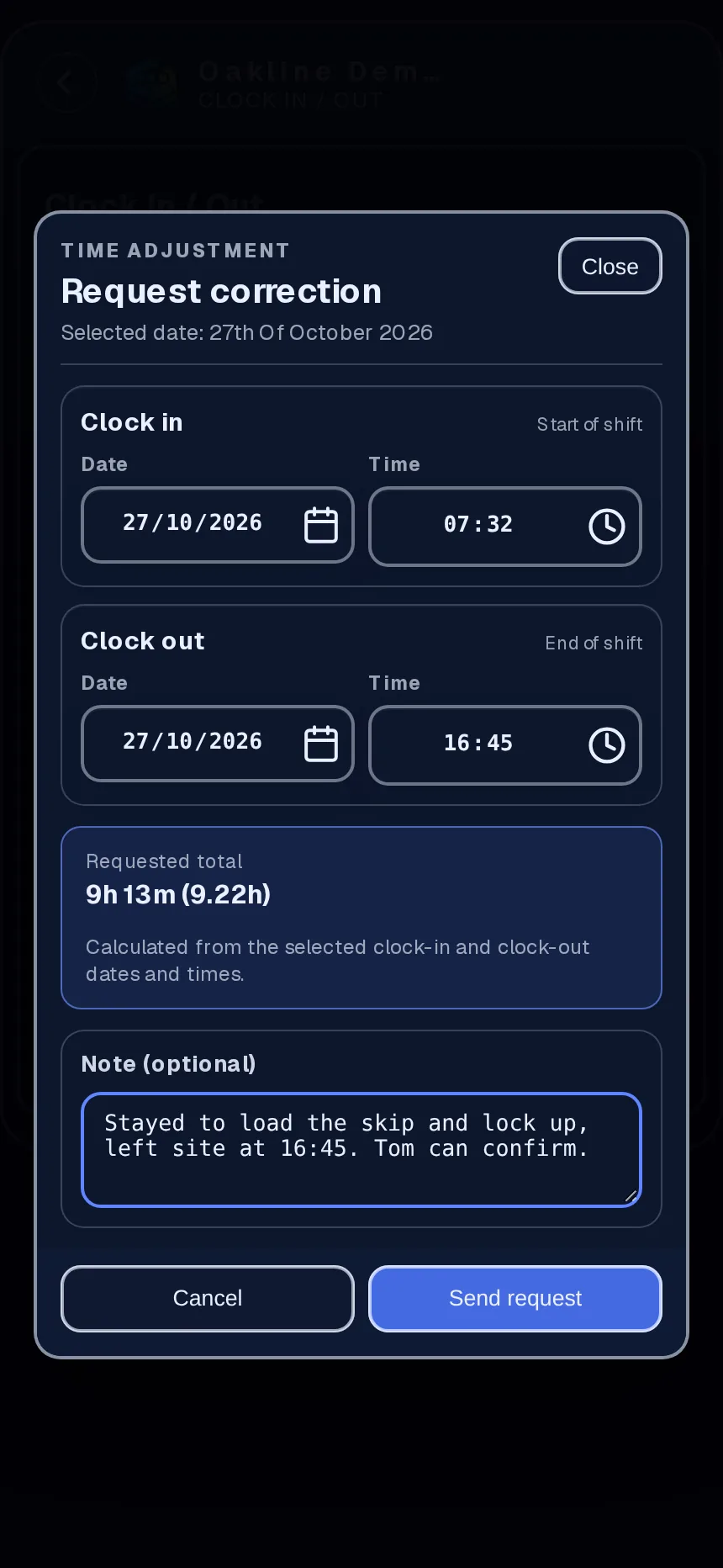
Forgot to clock out? The employee opens the entry, puts in the right times and says what happened. They can do this for any entry from the last 35 days.
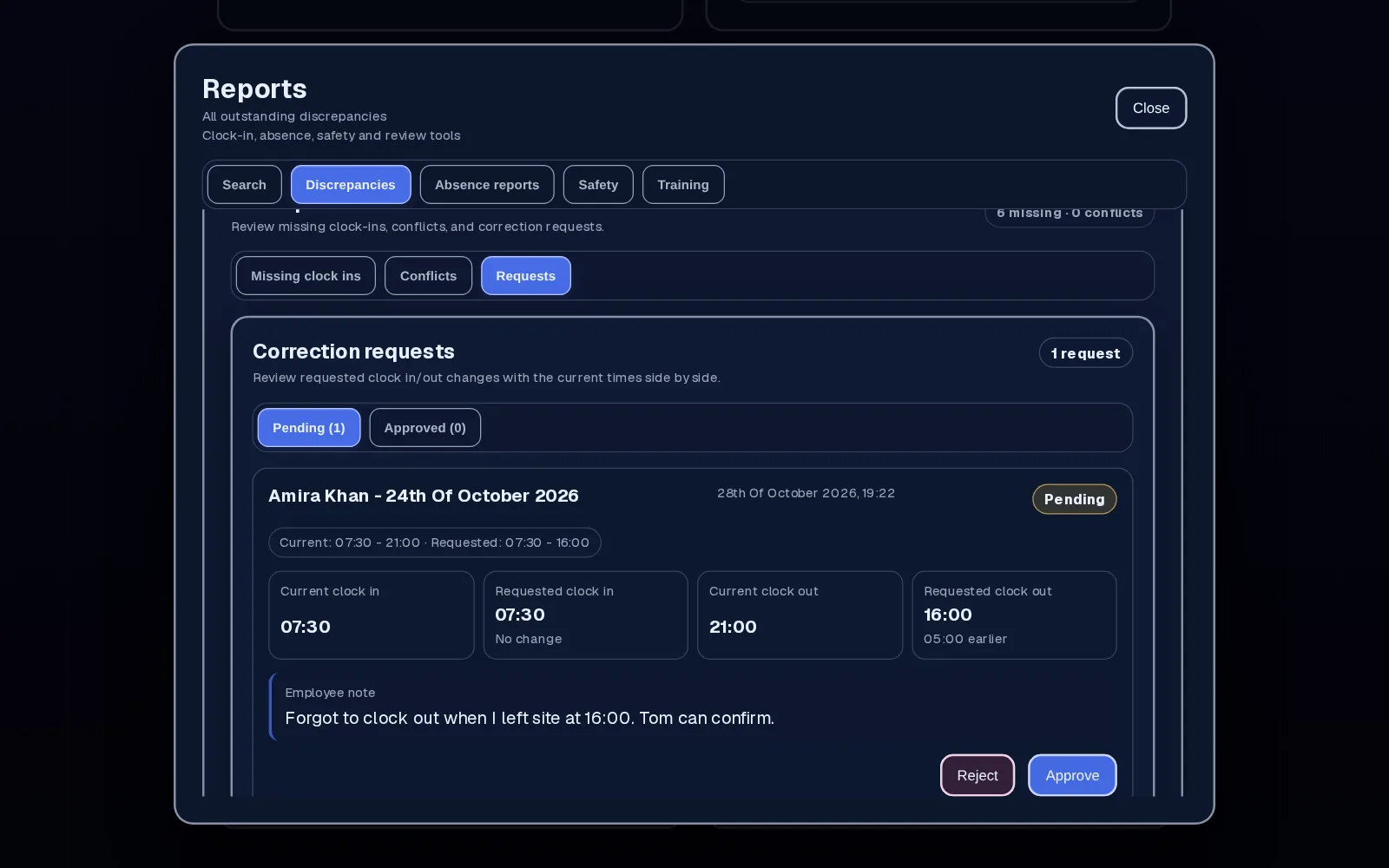
The request shows the recorded entry, the requested times and their note together, and the employee is told what you decided. Approve it, or reject it with a reason so they know what you need.
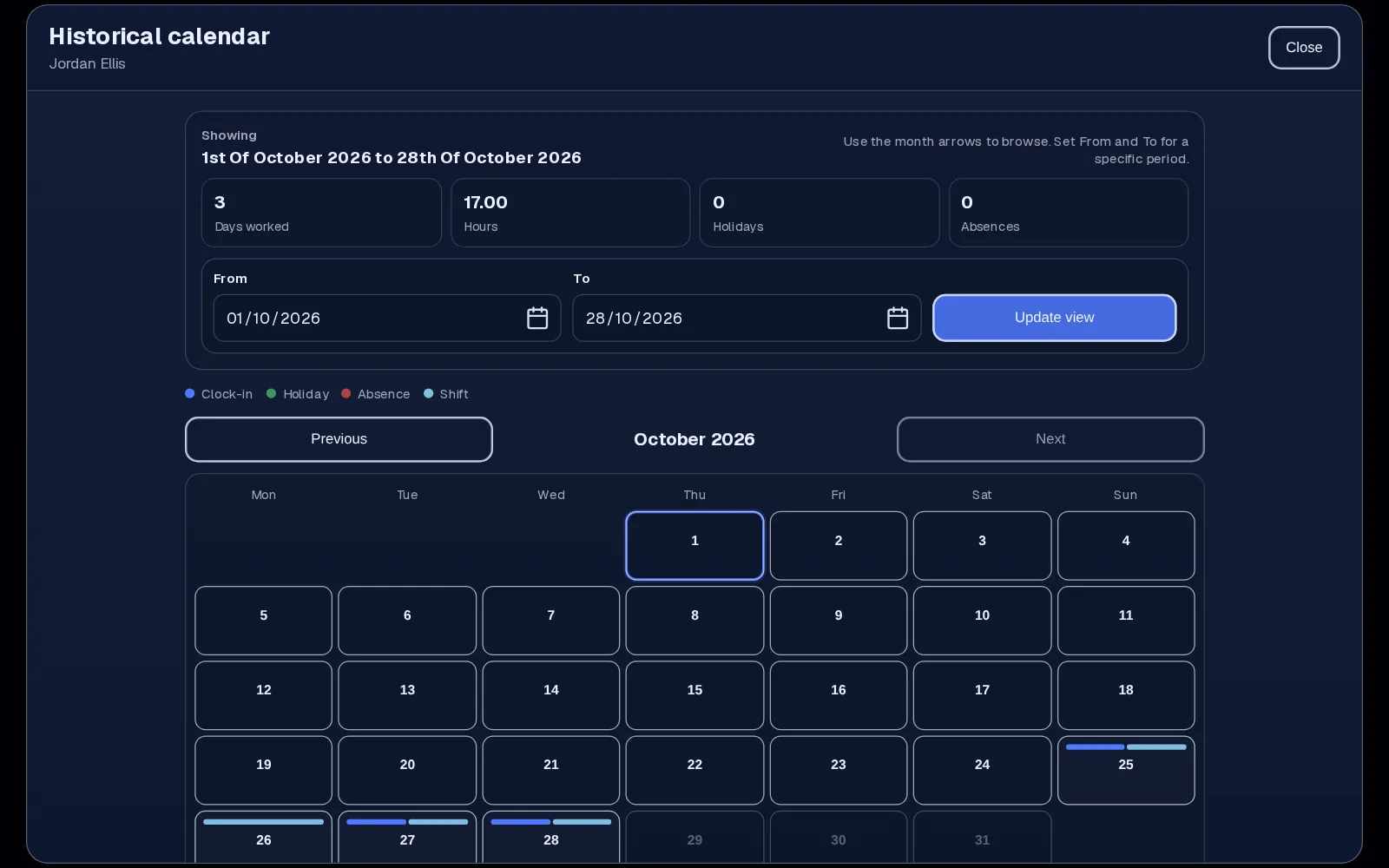
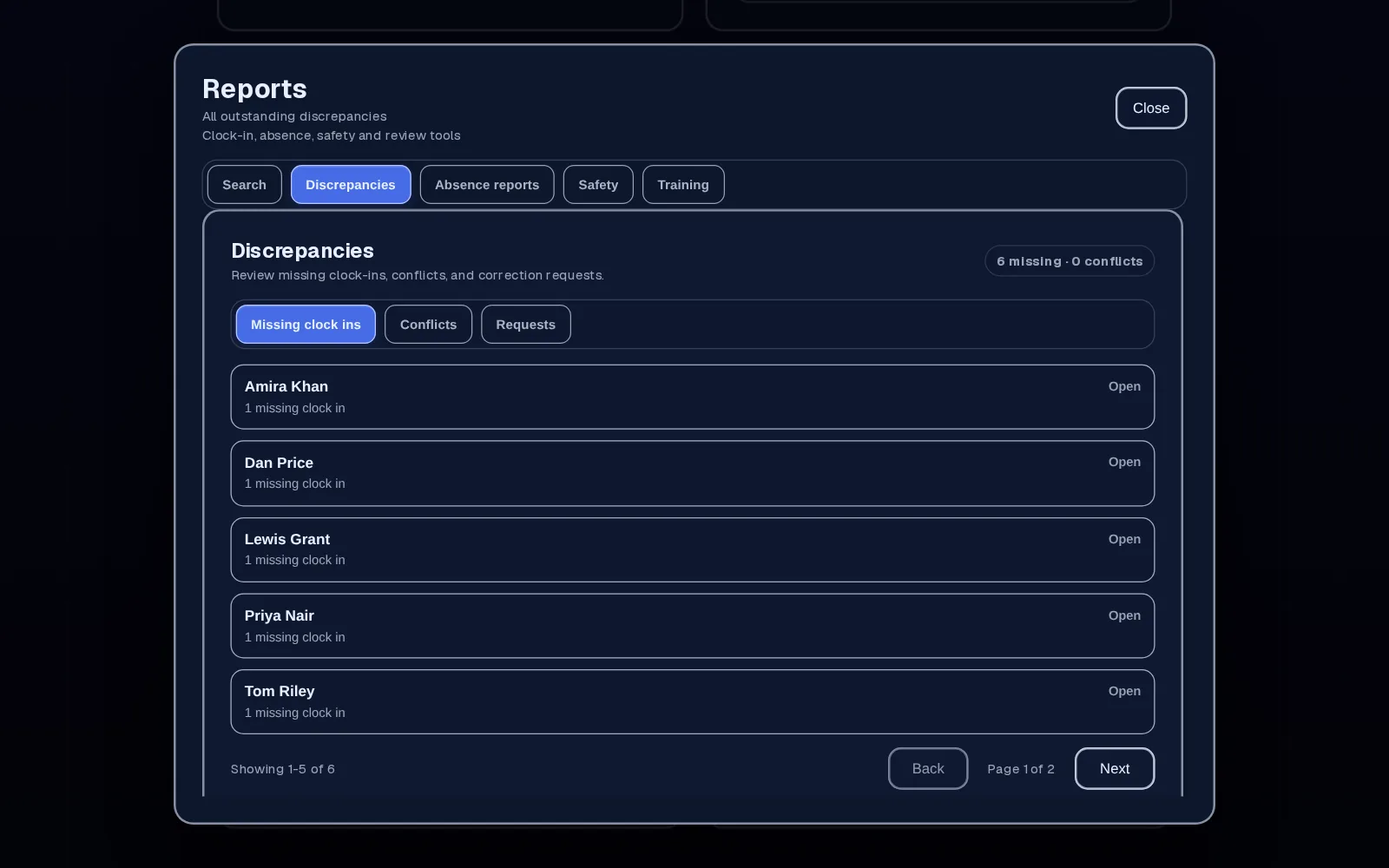
Time reports show each person's clock history by day and week and flag scheduled shifts with no clock-in. If you need to, you can add or fix an entry yourself. On Business and above, the reviewed hours feed straight into pay breakdowns.
In detail
The date, start and finish time, and the project if you use projects. Location is attached only if the employee's device has already given permission, and it's never needed to clock in.
Up to five entries per person per day covers a morning job, a break and an afternoon somewhere else. Overnight shifts keep their real dates, so a 10pm to 6am night shift doesn't get split across the wrong days.
Employees see their own hours. Managers see their team's. Only roles you trust can approve corrections or edit entries, and you set that in Settings.
On Business and above, reviewed hours feed pay breakdowns with day, night and overtime rates, allowances and deductions. You check the figures and pass them to your payroll provider.
Why teams use it
A correction request shows the recorded entry beside the requested change, with the employee's reason and your decision, so nobody has to remember what the sheet said.
Instead of reading every line, start with the scheduled shifts that have no clock-in and the corrections waiting for you.
On Team and above, clocked time can be tagged to a project, so you can see the hours each job took.
You pay one price for your plan. Adding someone within its limit doesn't change the bill.
Employr helps you prepare hours for pay. It doesn't run payroll, make payments or submit tax returns, so check the figures before you rely on them. There's no separate weekly timesheet sign-off step: hours build up from clock-ins and corrections. Location is optional at clock-in and nobody is tracked during the day.
Keep exploring
Questions
They can request a correction to any entry from the previous 35 days and explain what happened. An authorised manager then approves or rejects it. It's easiest to sort while the details are fresh.
Not directly. They send a correction request, and a manager decides. The original entry stays visible to whoever reviews it.
No. Location can be recorded at the moment someone clocks in, but only if their device has already given permission. It isn't needed to clock in, and there's no tracking during the day.
Yes, on Team and above. Staff choose the project before they clock in, and the project shows the hours tagged to it.
No. In Employr the timesheet is built from clock-ins as they happen. Staff fix mistakes with correction requests, and you review the week in time reports. There isn't a separate submit-and-approve step for the whole week.
No. Business and above adds pay breakdowns with overtime, allowances and deductions. Employr doesn't make payments or submit tax returns, so your payroll checks still apply.
Employr is a responsive web app, so the same time clock works in the browser on a phone, tablet or computer. Native Android and iOS apps are in development.
Clock-ins and time reports are free for up to 5 employees. Starter is £19 a month for up to 10, and Team is £45 a month for up to 25. Each plan is one price, not a charge per person.
Try it with your team
Clock-ins, corrections and time reports are free for up to 5 employees. No card needed.