Projects · From Team

Every job's crew, hours and paperwork together.

Give each job or client site one record with the dates, address, contact and crew, then let the hours, forms, signatures, documents and equipment build up against it.

Projects, forms and signatures are on Team, £45 a month for up to 25 employees.

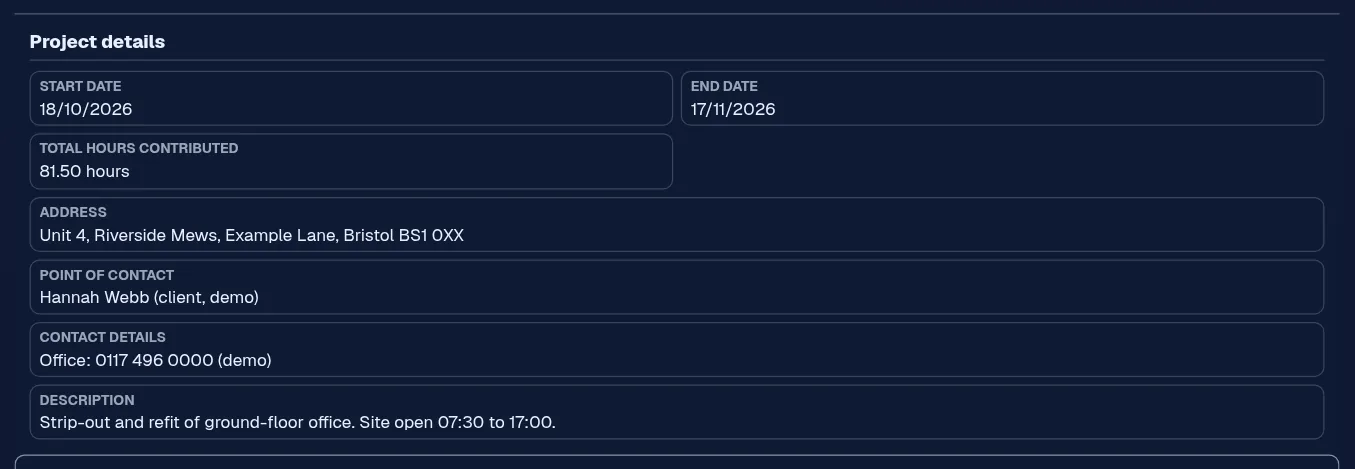
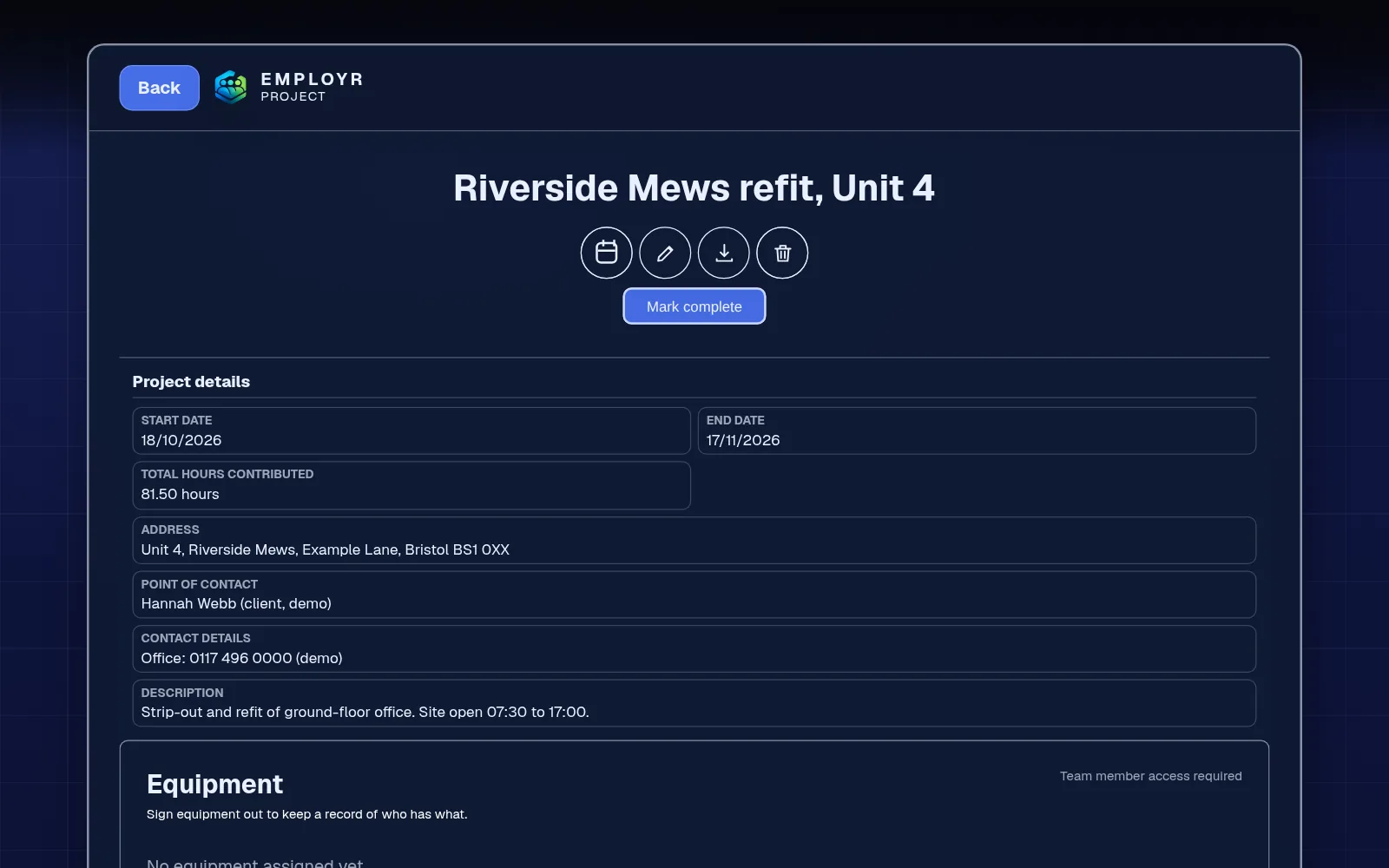
Project record showing the dates, total hours, site address, point of contact and equipment
One job, one record

The problem

The job's details are in five places.

The address is in an email, the crew is in the group chat, the hours are on paper, the signed sheet is in the van and the drill went with whoever got there first. Each piece is fine on its own. Together, they're a morning's work to pull back.

General project tools are built for office tasks and Gantt charts, not for who was on site, how long they were there and who signed what.

  • Site details sent by text
  • Hours you can't match to a job
  • Signed forms on loose paper
  • Kit with no record of which job has it

How it works in Employr

Set up the job once, then let the record build.

  1. Step 1

    Create the project

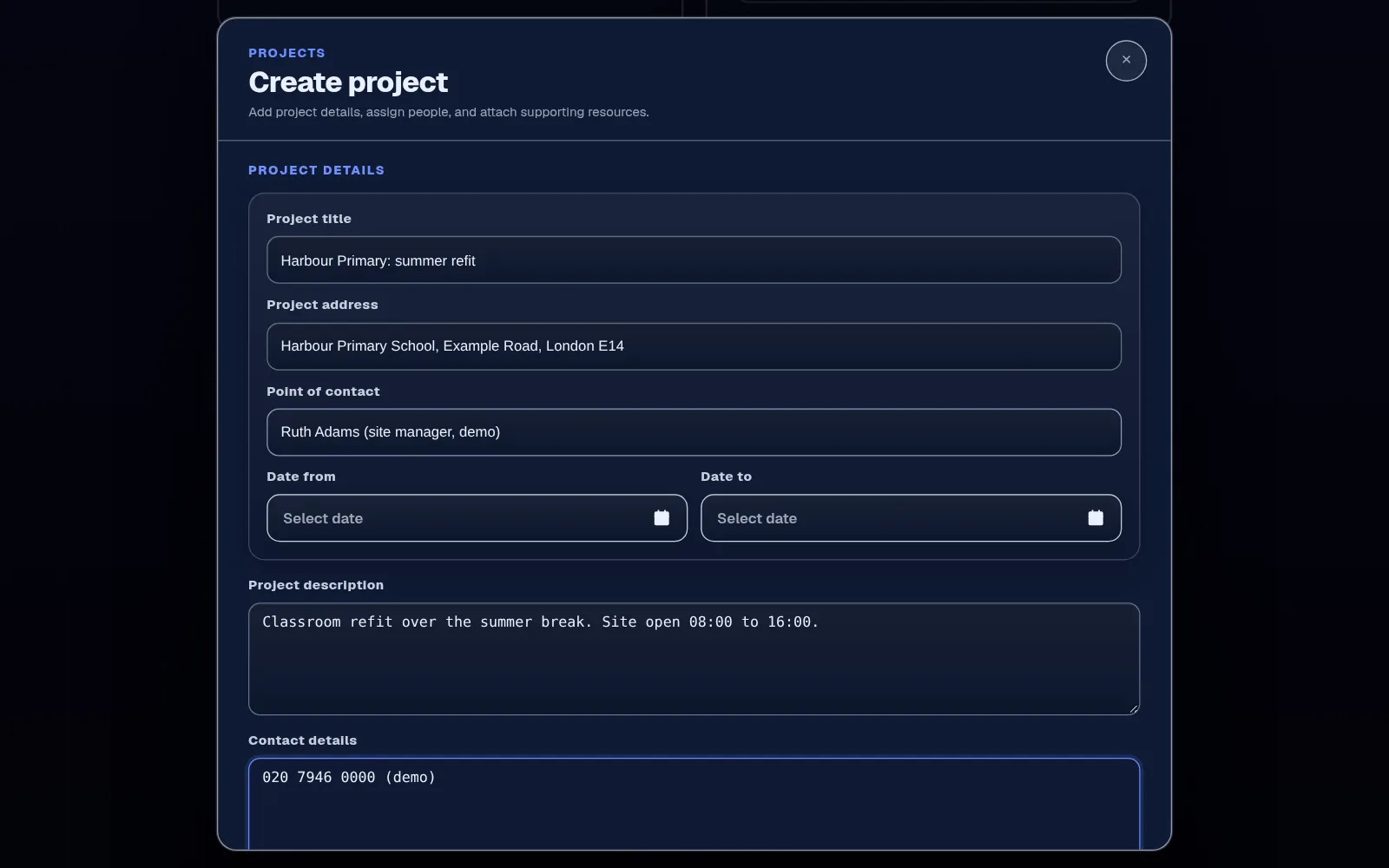
    Add a recognisable title, a description, the start and end dates, the site address, the point of contact and any custom fields your company uses, such as a job number. Employees can check the details before they set off.

    New project form with the title, site address, point of contact, dates, description and contact details
    Project set-up
  2. Step 2

    Assign the crew

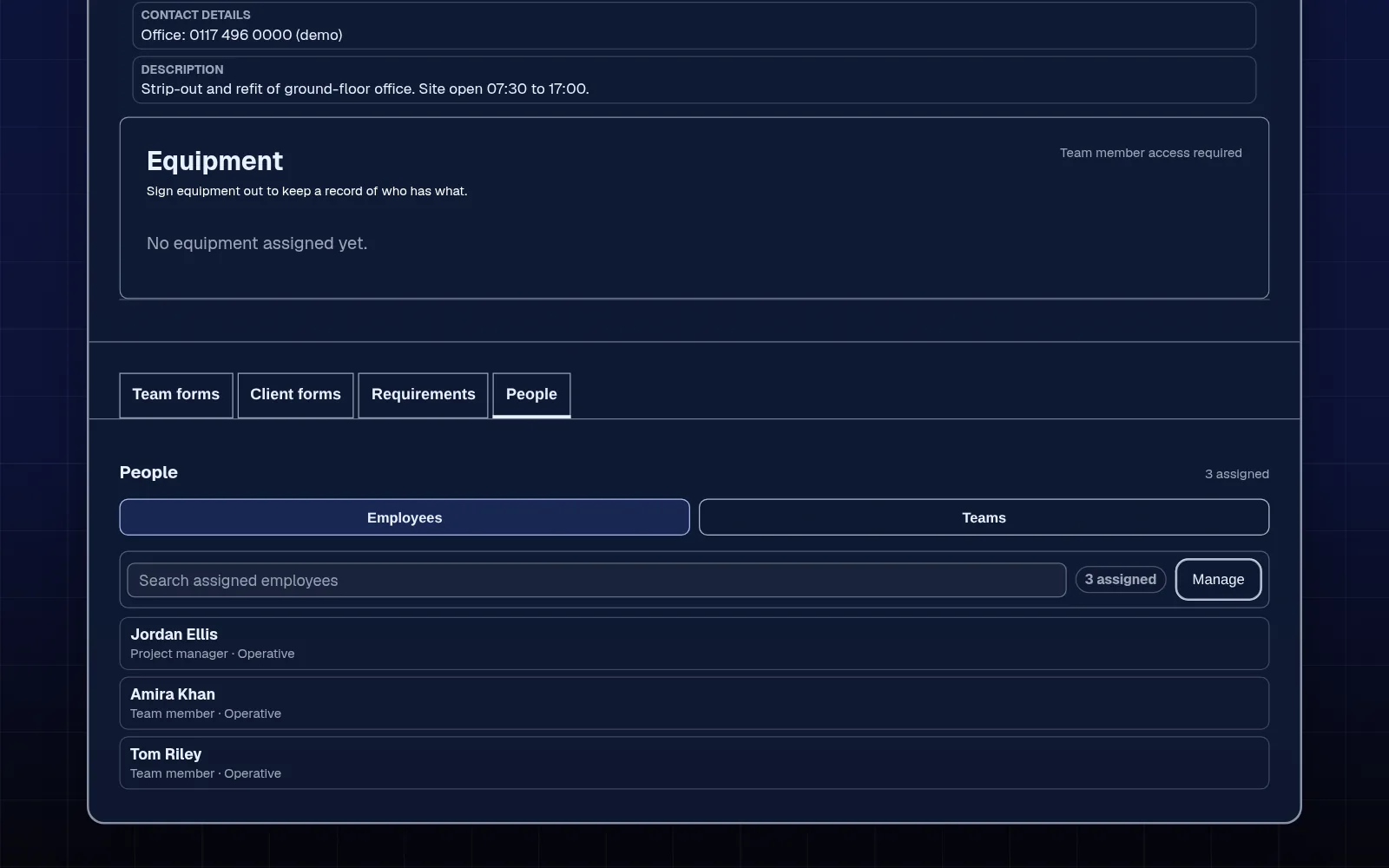
    Add the employees doing the work and the person leading it. Assign a team for your usual crew, then add individuals for specialist work or cover.

    Project People tab with three assigned employees, one marked as project manager
    Crew and lead
  3. Step 3

    Link the work

    Staff pick the project they're assigned to before clocking in, so hours build up against the job. Attach your forms and documents to the project, and, if you switch on equipment logging, kit signed out to it shows on its equipment list.

    Project details showing the total hours contributed to the job
    Total hours on the job
  4. Step 4

    Review and close

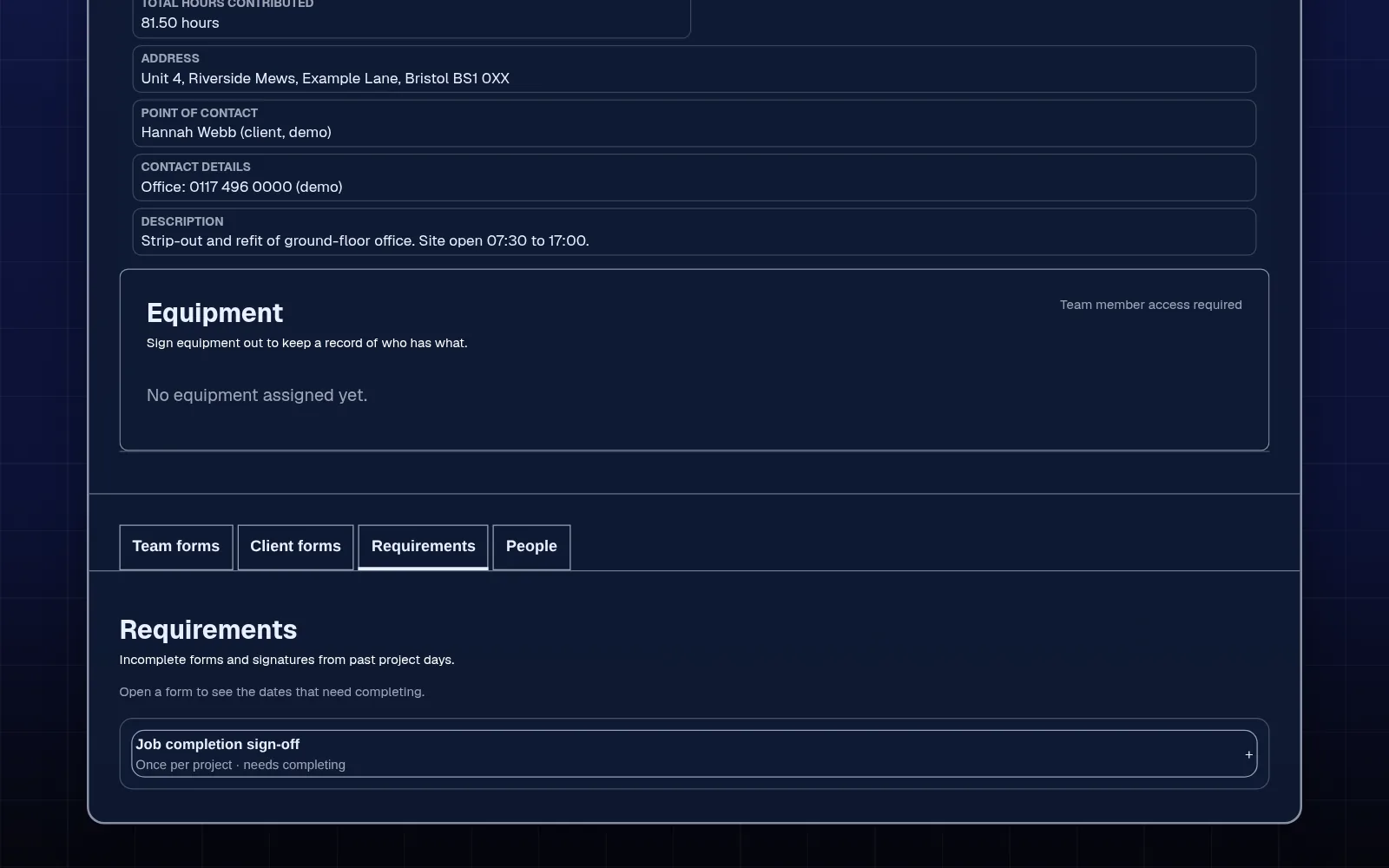
    Check the submitted forms and signatures, make sure equipment has come back and review the total hours, then mark the project complete, which locks it.

    Project Requirements tab with a job completion sign-off to complete before marking the project complete
    Review before closing

In detail

What a project keeps together.

Forms with their own copy

Attach a form from the form builder and the project gets an independent copy, so you can change the wording for this job without touching your template. Client forms and team forms are separate, and clients sign in person on your team's phone or tablet.

Documents and RAMS

Keep job files with the project and attach your RAMS or method statement to a form for the crew to sign. Employr stores and collects sign-off on documents you already have; it doesn't write them.

Equipment on the job

When staff sign kit out to the project, they sign on screen and it appears on the project's equipment list until it's returned, so you can see what's on each job.

Project dates on the calendar

Choose to show a project on the calendar and its dates sit beside shifts and holiday, so you can see which jobs are running when you plan the rota.

What Employr doesn't do

Employr keeps the people side of a job together. It doesn't create quotes, invoices or job costings, track budgets or run payroll, and it doesn't dispatch or route work automatically. A signed form is one part of the record, not a substitute for your contract terms.

Keep exploring

Related features and industries.

Questions

Common questions.

Is this project management software for construction?

It's built for the people side of site work: who's on the job, their hours, the forms, signatures, documents and kit. It doesn't do quotes, invoices, job costing or Gantt-style planning.

Can I use a project for a client site rather than a one-off job?

Yes. You can set up each client site or contract as a project, with its address and contact, and staff clock in to it on each visit.

Can the client sign off the job?

Yes. Add a client form to the project and the client signs it in person on your team's phone or tablet. Employr doesn't send them a link. Staff sign a separate team form on the same project.

Can I see the hours each job took?

Yes. Staff choose the project before they clock in, and the project shows the total hours clocked to it.

Can employees see the project details on their phone?

Yes, if they're assigned and their role allows it. They open the project in the Employr web app to check the address, contact and description. Native Android and iOS apps are in development.

Which plan is it on?

Projects, forms and signatures are on Team and above. Team is £45 a month for up to 25 employees, with up to 10 roles and 5 teams.

Try it on your next job

One record per job, from start to sign-off.

Team adds projects, forms, signatures, safety documents and equipment. Start free and upgrade when you need it.