
Your own asset numbers
Use the numbers already painted or labelled on your kit. No special tags or scanners needed.
Equipment sign-out · From Team
Staff sign tools and equipment out to themselves, or to a job with a signature, and they stay marked as out until they come back.
Equipment and uniform tools are on Team, £45 a month for up to 25 employees.
The problem
It works until someone's in a hurry and doesn't write it down, or the sheet fills up and gets binned. Then the laser level is 'somewhere on the Smith job' and you're buying another one.
When someone leaves, nobody's sure what they still have.
How it works in Employr
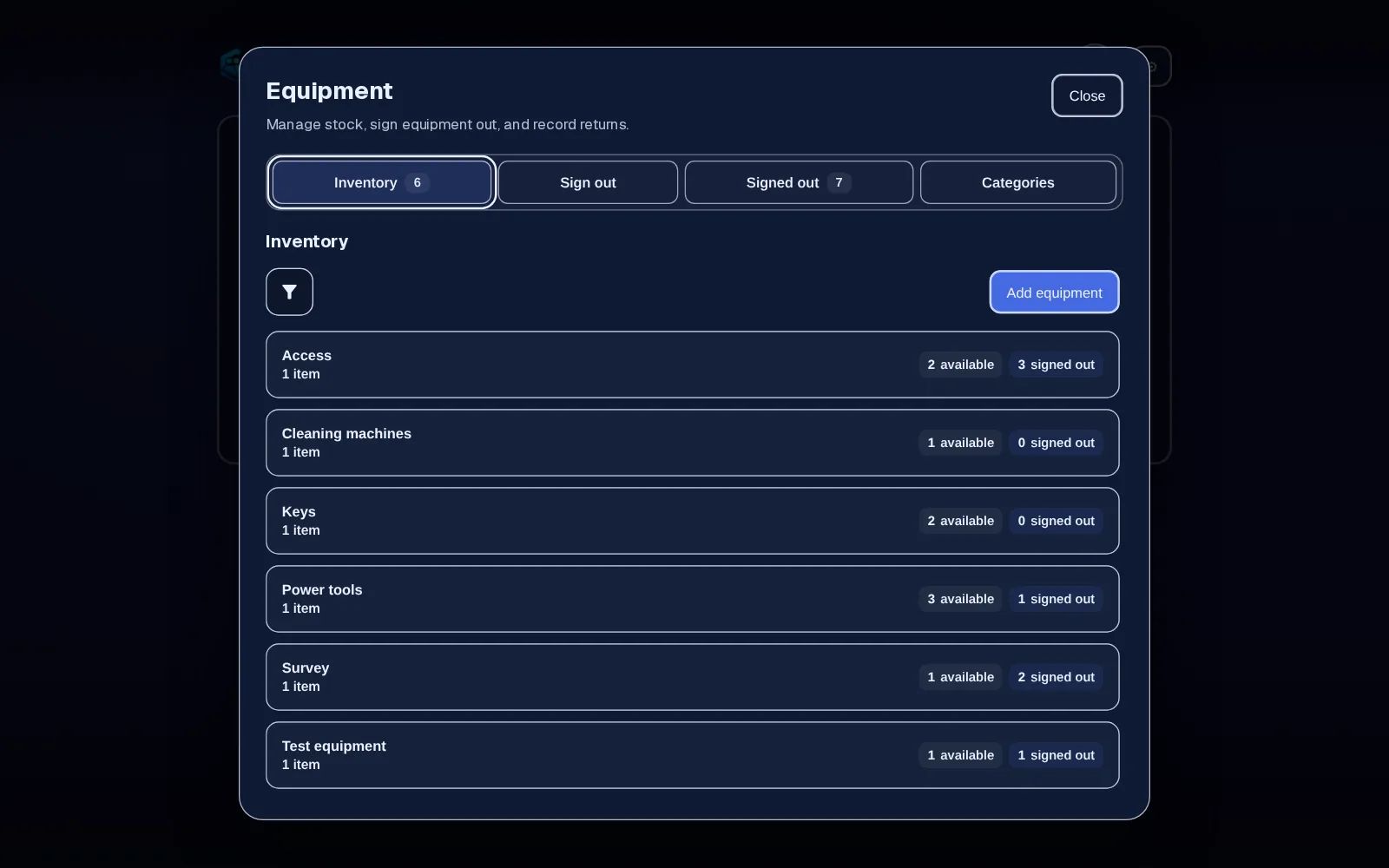
List your tools and equipment with the names your team uses, a category, your own asset number and how many you have.
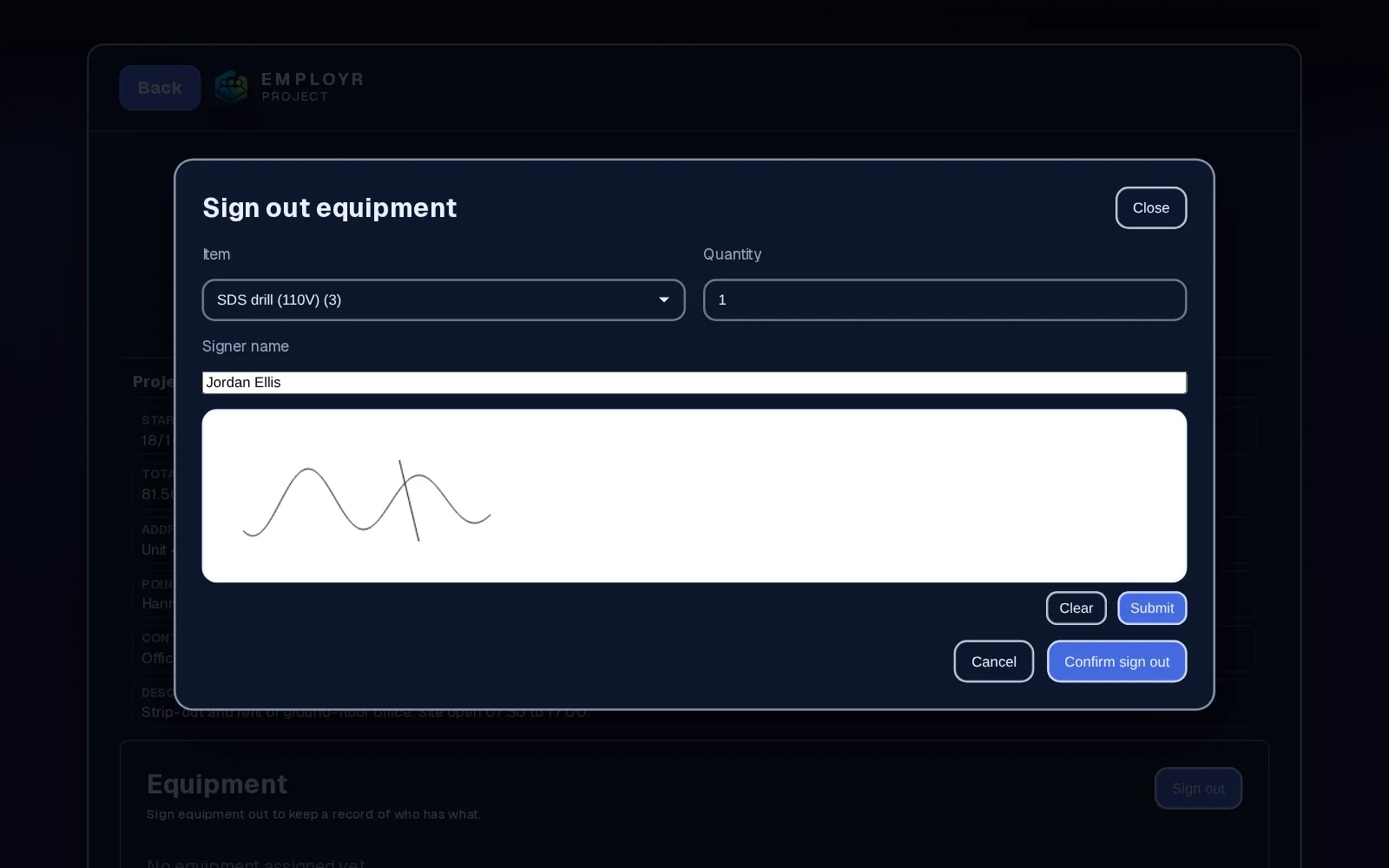
The person taking the kit picks the item and quantity on their phone or tablet, and it's recorded against their name. If it's going to a job, they sign it out to the project and sign on screen, and their name and signature are saved with the handover.
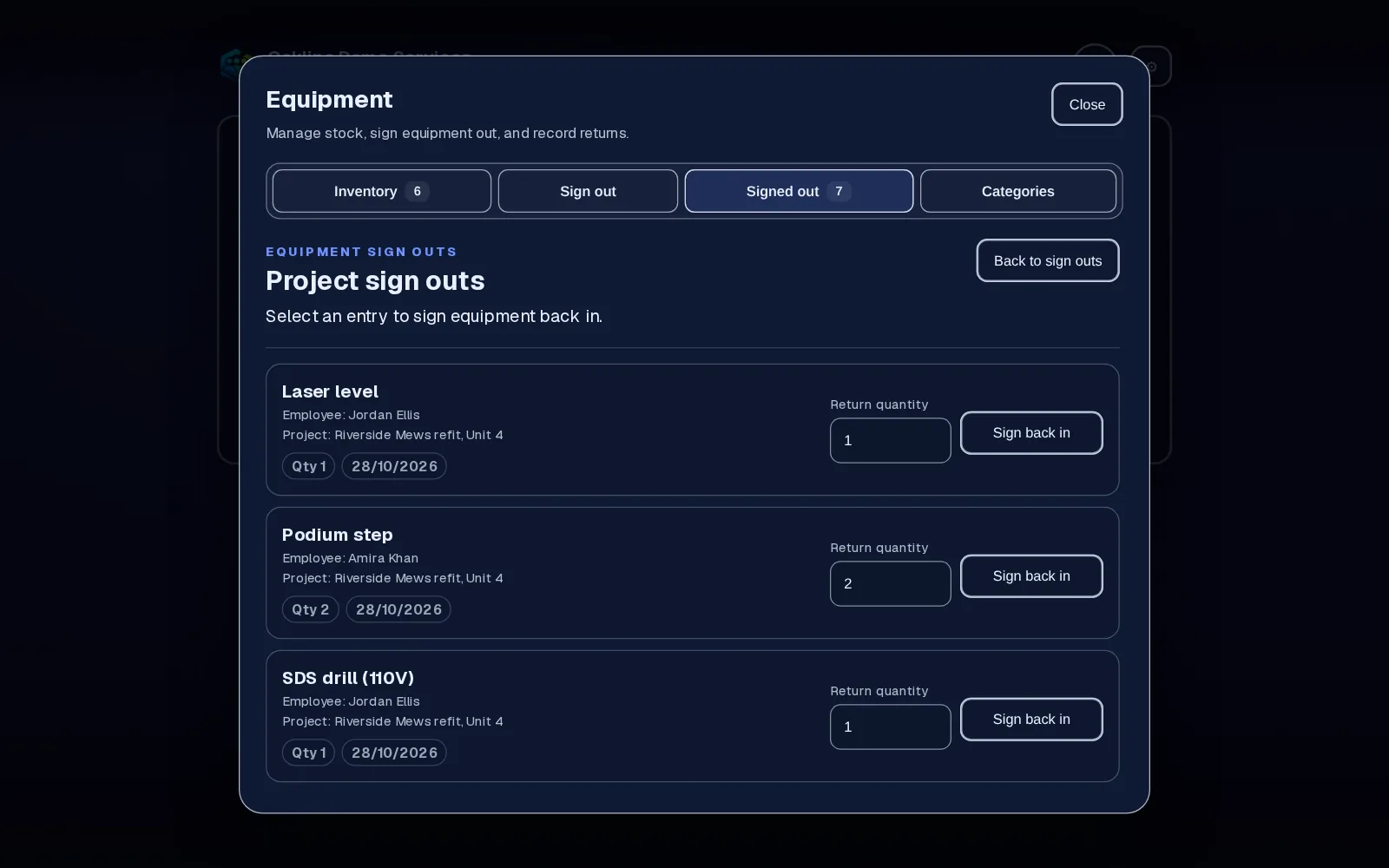
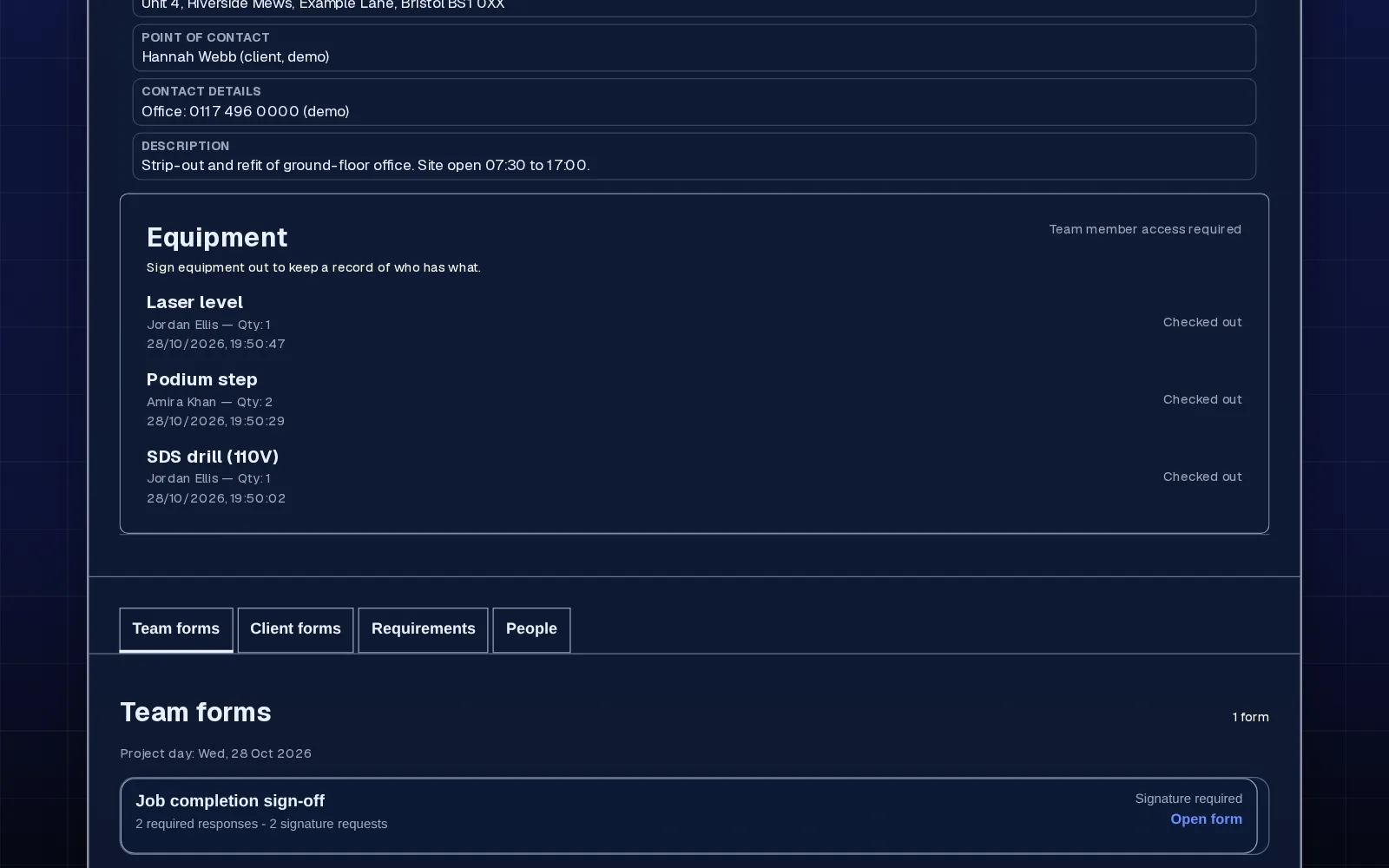
Signed-out items show who has them and which project they're on, and they stay unavailable until they're returned. On a project, you can see all the kit issued to that job.
When the item comes back, check it over and mark it returned. It's available to sign out again straight away.
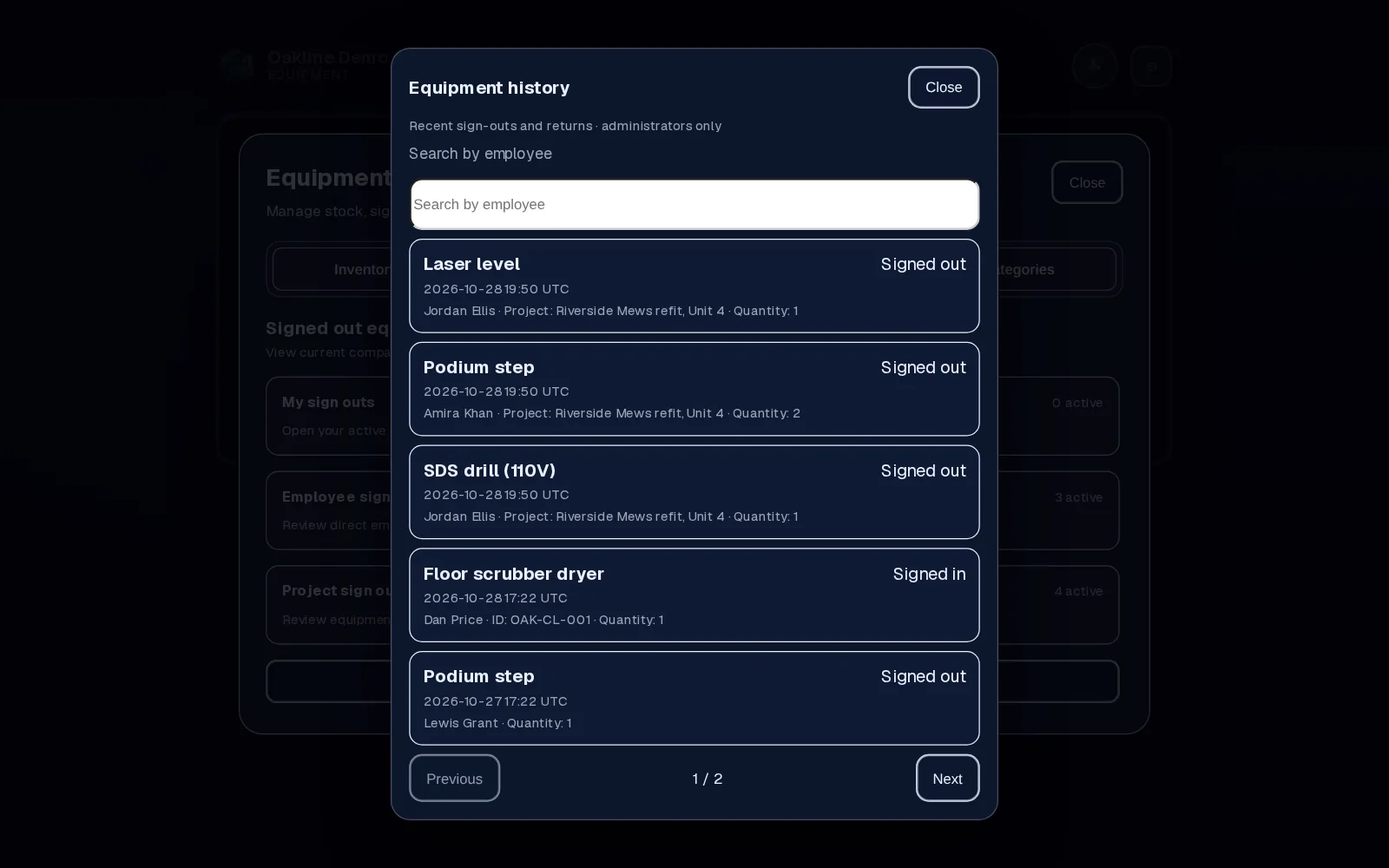
In detail
Use the numbers already painted or labelled on your kit. No special tags or scanners needed.
Each sign-out connects an item to an employee and, optionally, a project, so you can answer 'who has it' and 'which job is it on'.
Before someone leaves, check what's still signed out to them and get it back or hand it over.
The same Team plan includes uniform stock and requests: staff ask for the item and size, and a manager processes or declines it.
Why teams use it
Every sign-out is recorded against the person who took it, and sign-outs to a job carry their signature, so there's no 'I never had it'.
Check stock and who has each item from the office or the site.
No GPS tags or barcode scanners to buy. It works with the kit and labels you already have.
Equipment and uniform tools come with Team at £45 a month for up to 25 employees, alongside projects and safety documents.
Employr records handovers. It isn't a GPS tracker and doesn't know where an item physically is. It doesn't scan barcodes or QR codes. Keep doing and recording the inspections, servicing, calibration and PAT testing your equipment needs.
Keep exploring
Questions
No. Employr records who an item was signed out to and when it came back. It doesn't track where the item is.
No. Use item names and your own asset numbers. There's nothing extra to buy.
Yes. When an item is signed out to a project, it shows on that project's equipment list until it's returned.
Check what's still signed out to them before their last day. Get each item back and mark it returned, or have whoever takes it over sign it out themselves, so the record stays accurate.
Yes, if you want a signed record of who has them. Add them as equipment items with your own references. For plant hire and vehicle checks, keep using your usual inspection records alongside it.
Yes, that's what it's often called in the US. It's a digital version of the sign-out sheet or tool register, with a signature when kit goes out to a job.
Uniform has its own stock list and request queue on the same plan. Staff request an item and size, and a manager processes or declines it.
Equipment and uniform tools are on Team and above. Team is £45 a month for up to 25 employees.
Try it with your kit
Team adds equipment sign-out, uniform, projects and safety documents. Start free and upgrade when you need it.