
Any phone, tablet or computer
Employr is a responsive web app, so the same clock-in card works in a phone browser, on a tablet in the site cabin or on an office PC. Native Android and iOS apps are in development.
Clock in and out · From Free
No terminal on the wall and no card reader. Staff clock in and out from their own phone, pick the job they're on, and you can see who's working.
Clocking in and out is on the Free plan, for up to 5 employees.
The problem
A wall-mounted time clock is fine if everyone works in one building. Most small teams don't. They start at a client's house, move to a second site after lunch, or meet the van at 6am in a car park.
So the hours end up in a text, on a scrap of paper or in someone's memory, and you can't tell a late start from a forgotten clock-in.
How it works in Employr
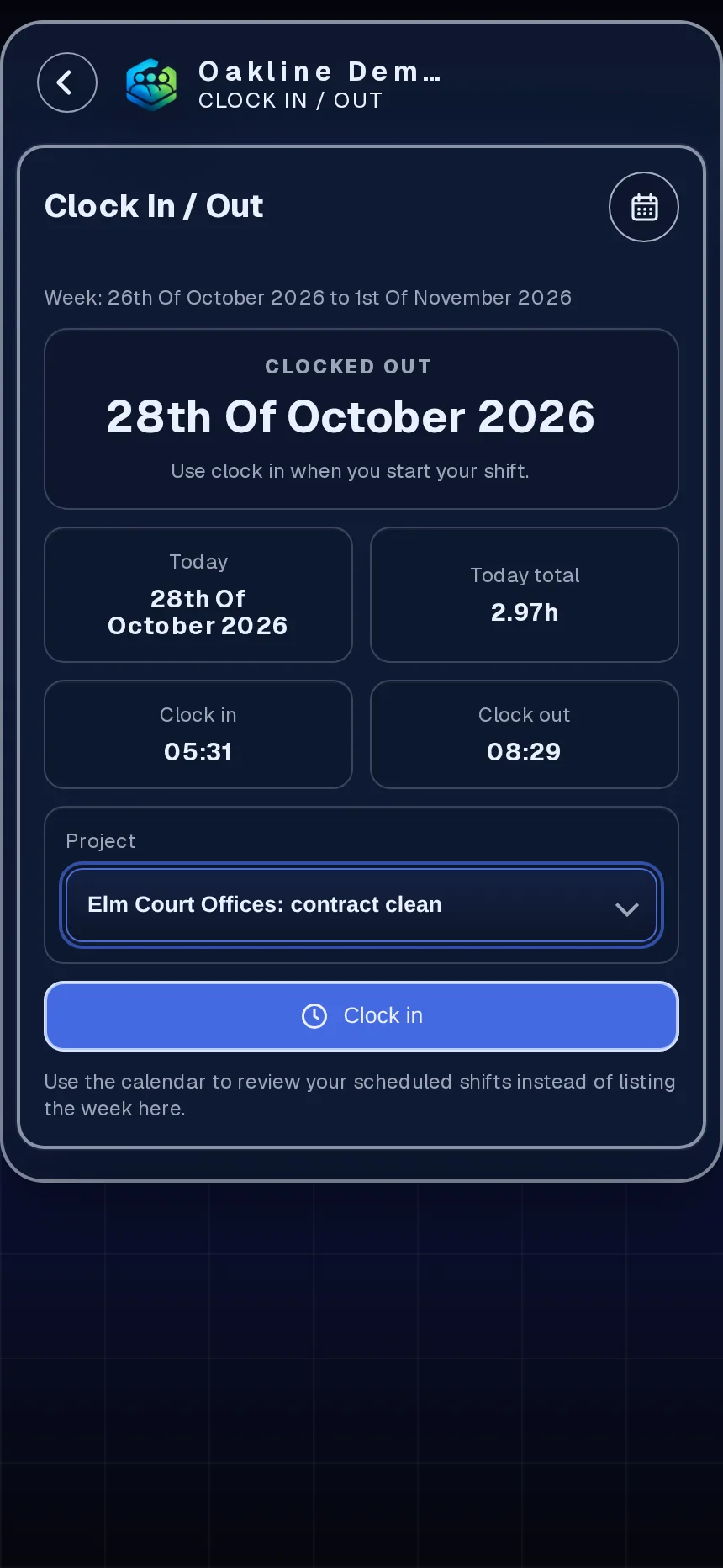
The employee dashboard shows the next shift and, if you use projects, the job it belongs to. They choose the project before they start, so the hours land in the right place.
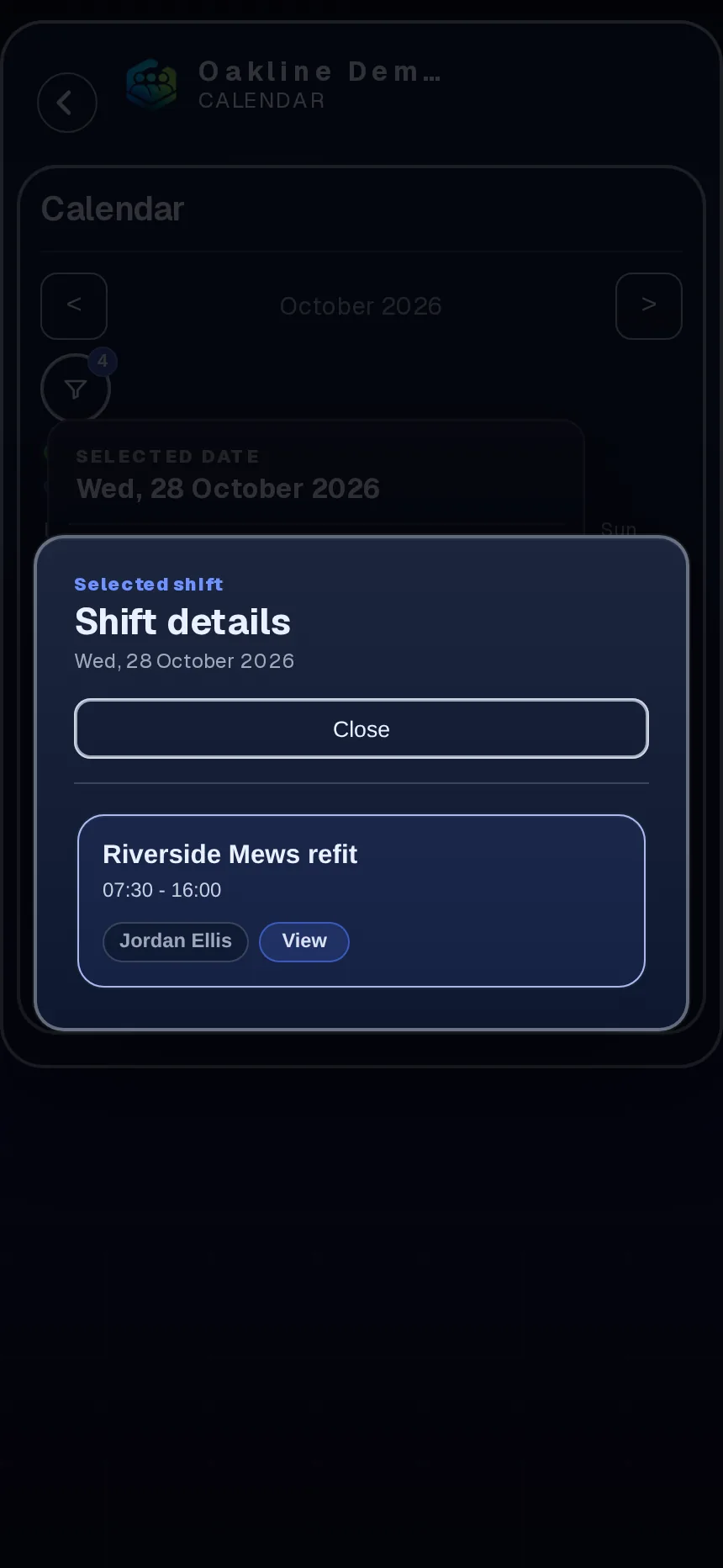
One tap starts the clock. The card stays in the clocked-in state until they clock out, so nobody wonders whether it worked. If the phone already allows location, it's attached to the entry; if not, clocking still works.
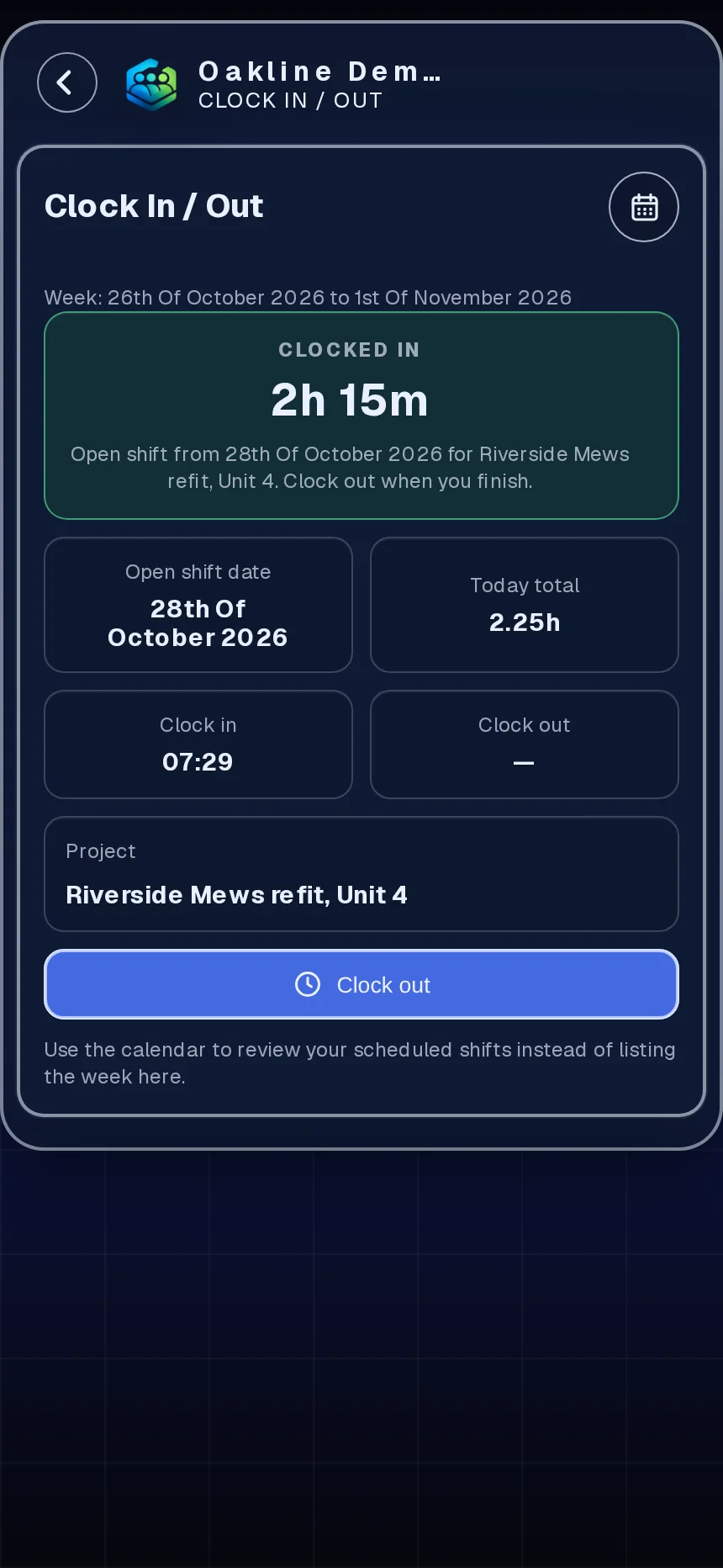
Clock out at the end of the job. Moving to another site after lunch? Clock out, then clock in again on the next project. Up to five entries a day covers split shifts.
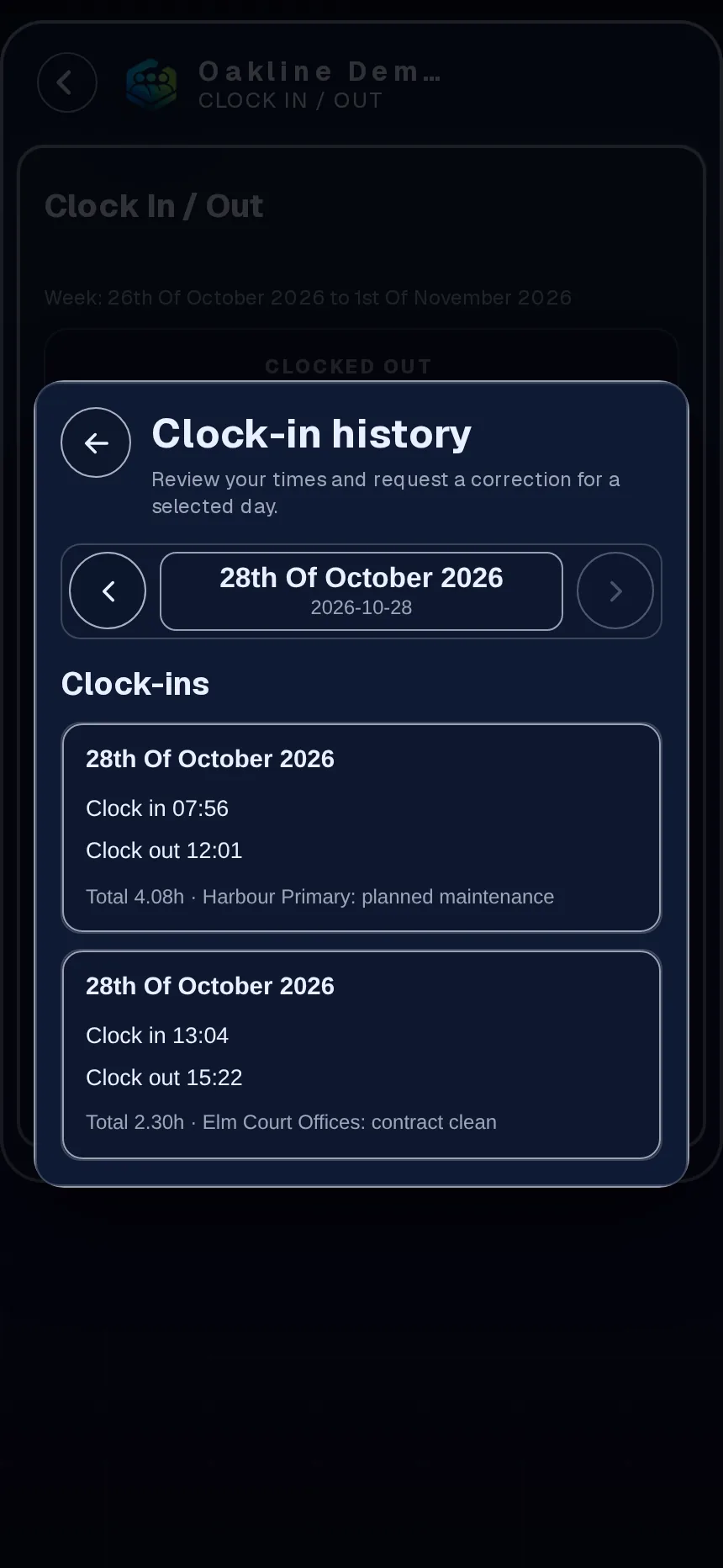
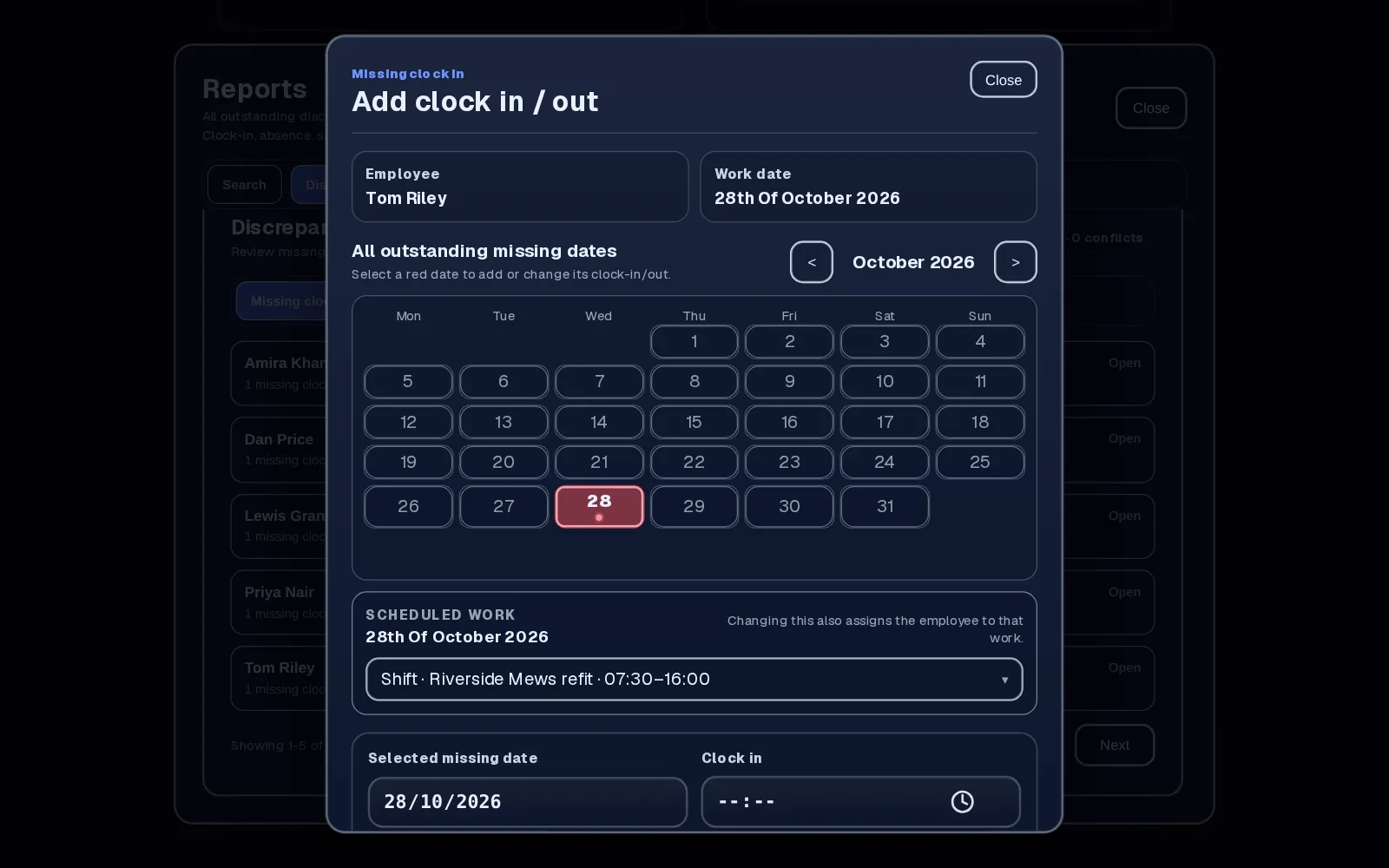
If someone was rostered but never clocked in, it shows up for the manager. If they forgot to clock out, they send a correction request with the right time and a reason, and you approve or reject it.
In detail
Employr is a responsive web app, so the same clock-in card works in a phone browser, on a tablet in the site cabin or on an office PC. Native Android and iOS apps are in development.
If an employee's phone already lets Employr use location, it's attached to the clock entry. If they say no, they can still clock in. There's no tracking between clock-in and clock-out.
Shifts and clock entries sit on the same calendar, so you can compare what was planned with what happened, day by day.
On Team and above, clocking in to a project builds up the hours on that job, so you can see what each job took.
Why teams use it
No terminal, no fob reader and no kiosk to buy. Staff use the phone they already carry.
Rostered shifts with no clock-in are flagged, so you find out the same week rather than on pay day.
Mistakes are fixed through a request the employee makes and a manager approves, with the original entry kept in view.
Clocking in and out is on the Free plan for up to 5 employees. Paid plans are one price, not a charge per person.
Employr isn't a GPS tracker. It doesn't use geofences, facial recognition or biometric checks, and it needs an internet connection to save a clock entry. It records the times your team clocks in and out, and lets you review and correct them.
Keep exploring
Questions
Yes. Employr runs in the phone's browser, so staff sign in with their own account and clock in from the employee dashboard. Native Android and iOS apps are in development.
Yes. In the US and Australia it's usually called a time clock or punch clock app. In the UK it's clocking in. It records the start and finish of each work period.
No. Location can be attached at the moment someone clocks in, but only if their phone already allows it. It's optional, and nobody is tracked during the day.
They send a correction request with the right time and a short reason, for any entry from the last 35 days. A manager approves or rejects it.
Yes, on Team and above. They pick the project before clocking in, and the hours are added to that project.
No. Employr needs an internet connection to save a clock entry. If the signal drops, staff should reconnect and check the entry saved.
Free for up to 5 employees. Starter is £19 a month for up to 10 and Team is £45 a month for up to 25, with one price per plan rather than per person.
Try it with your team
Clocking in and out is free for up to 5 employees. No card needed.