One record per person
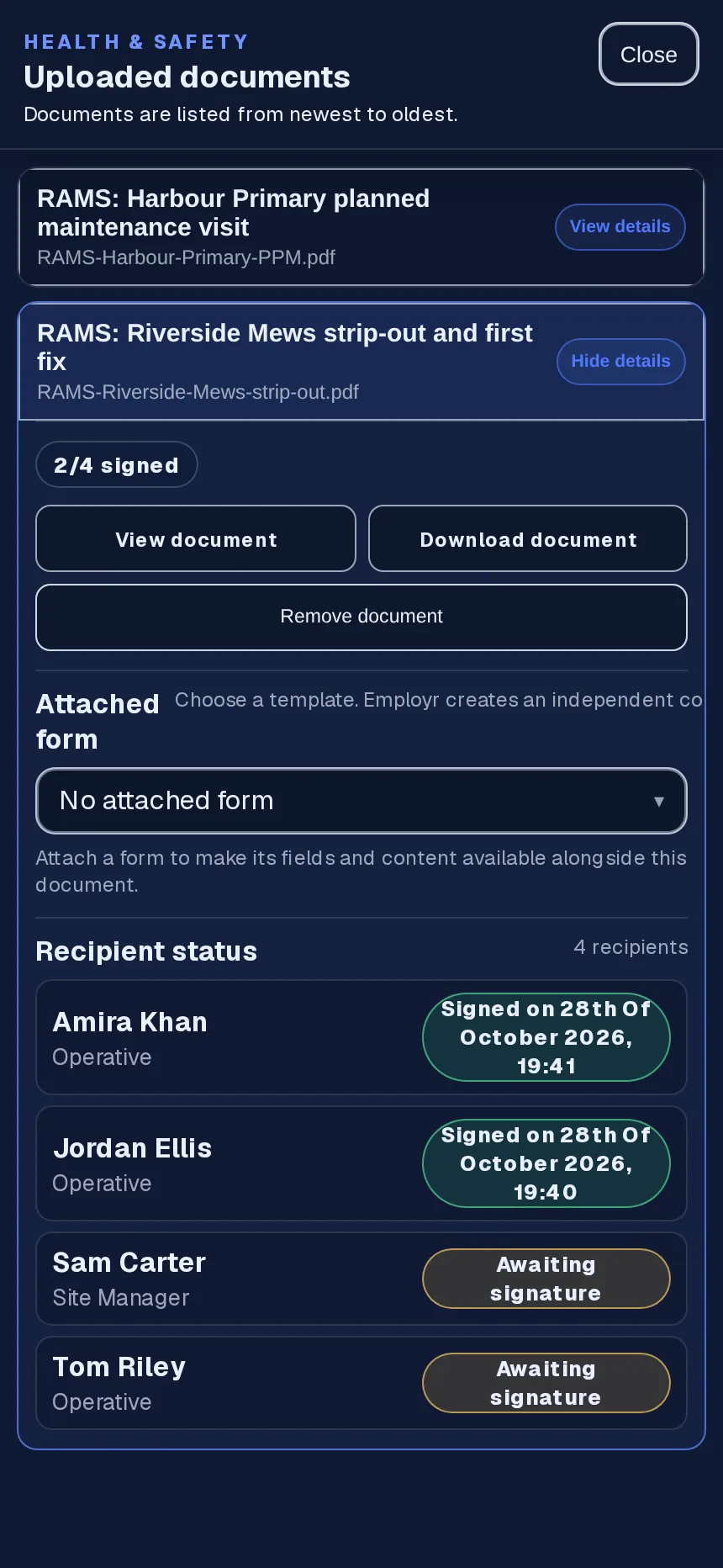
Each acknowledgement belongs to one person and one document, with the date and time. It's easy to see at a glance, and easy to show someone who asks.
RAMS & safety documents · From Team
Build a form, attach your RAMS and request sign-off from your staff, or from your client, who signs in person on your team's phone or tablet. You can also send a RAMS straight to staff as a safety document.
Forms, signatures and safety documents are on Team, £45 a month for up to 25 employees.
The problem
The RAMS get briefed in the cabin, a sign-off sheet goes round, and most of the crew sign it. Then the sheet ends up in a folder, in a van, on another job.
When a client or principal contractor asks who was briefed, or a new starter turns up mid-job, nobody's quite sure who has signed what.
How it works in Employr
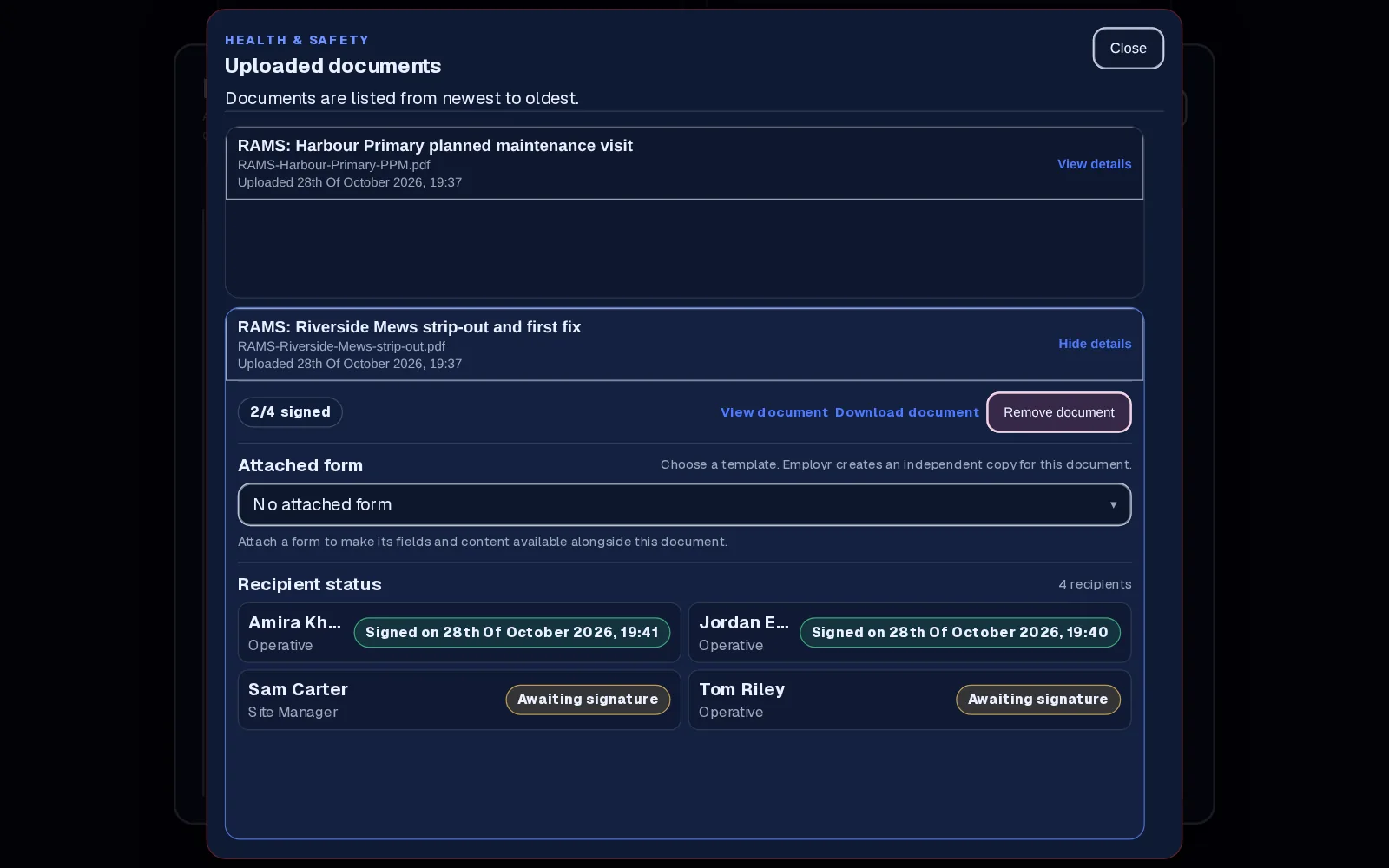
Attach your RAMS, method statement or toolbox talk to a signature field in a form you've built and add the form to the project, or add it on its own as a health and safety document (shown here). Employr stores the file you already have; it doesn't write it for you.
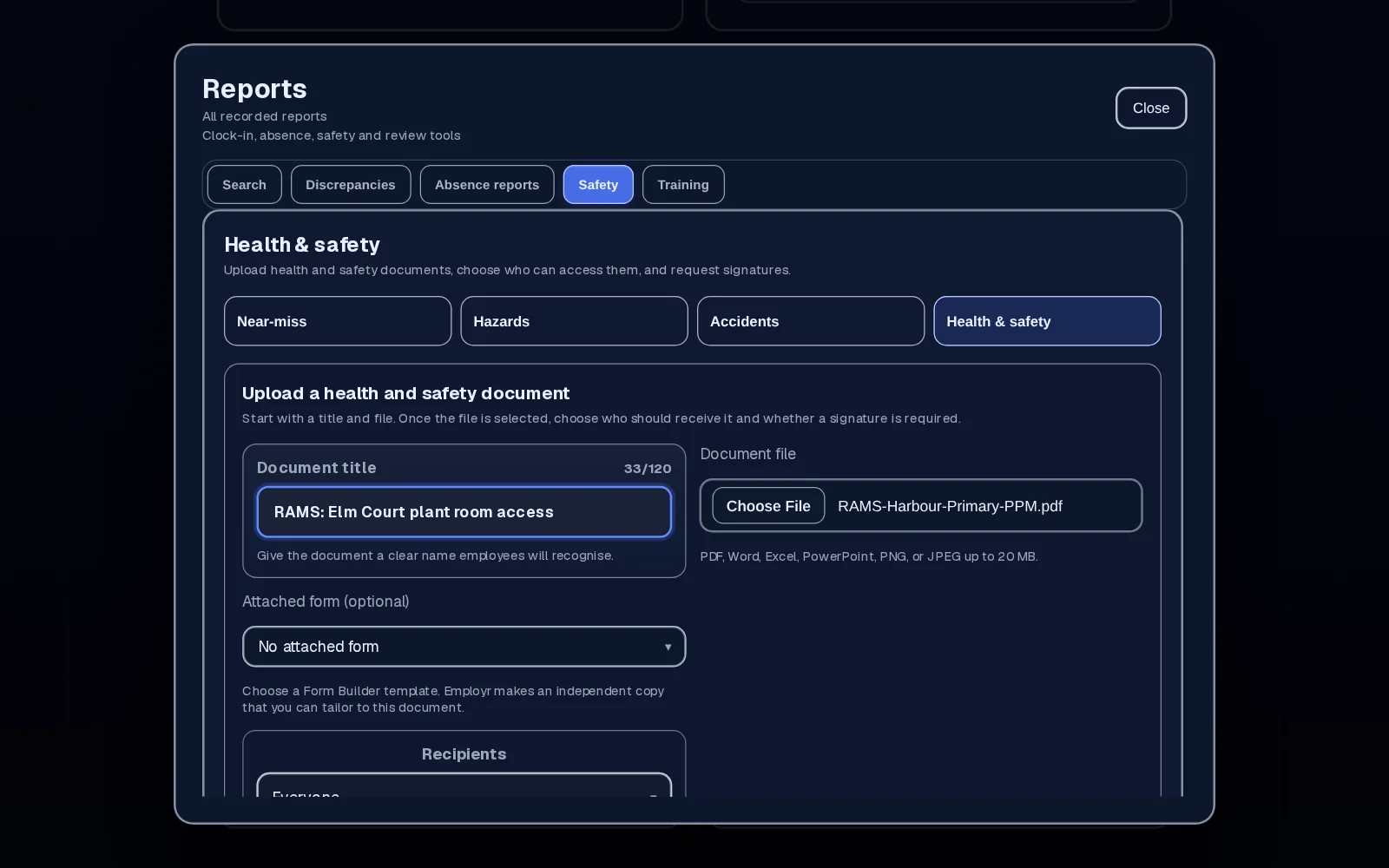
On a team form, choose teams, roles, the team leader or supervisor, named employees or everyone on the project. On a client form, add your clients by name. A safety document goes to the whole company, chosen roles or chosen employees.
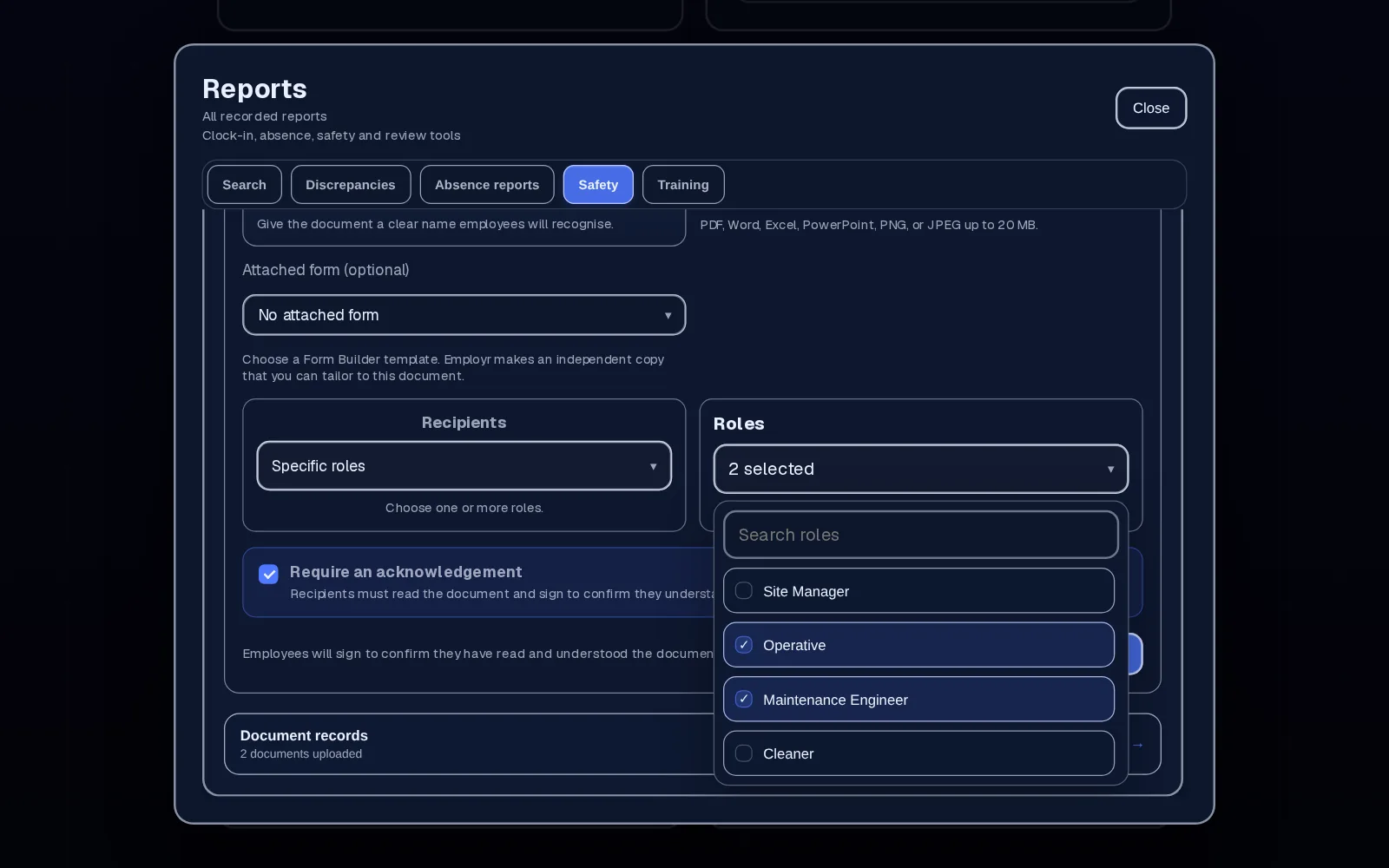
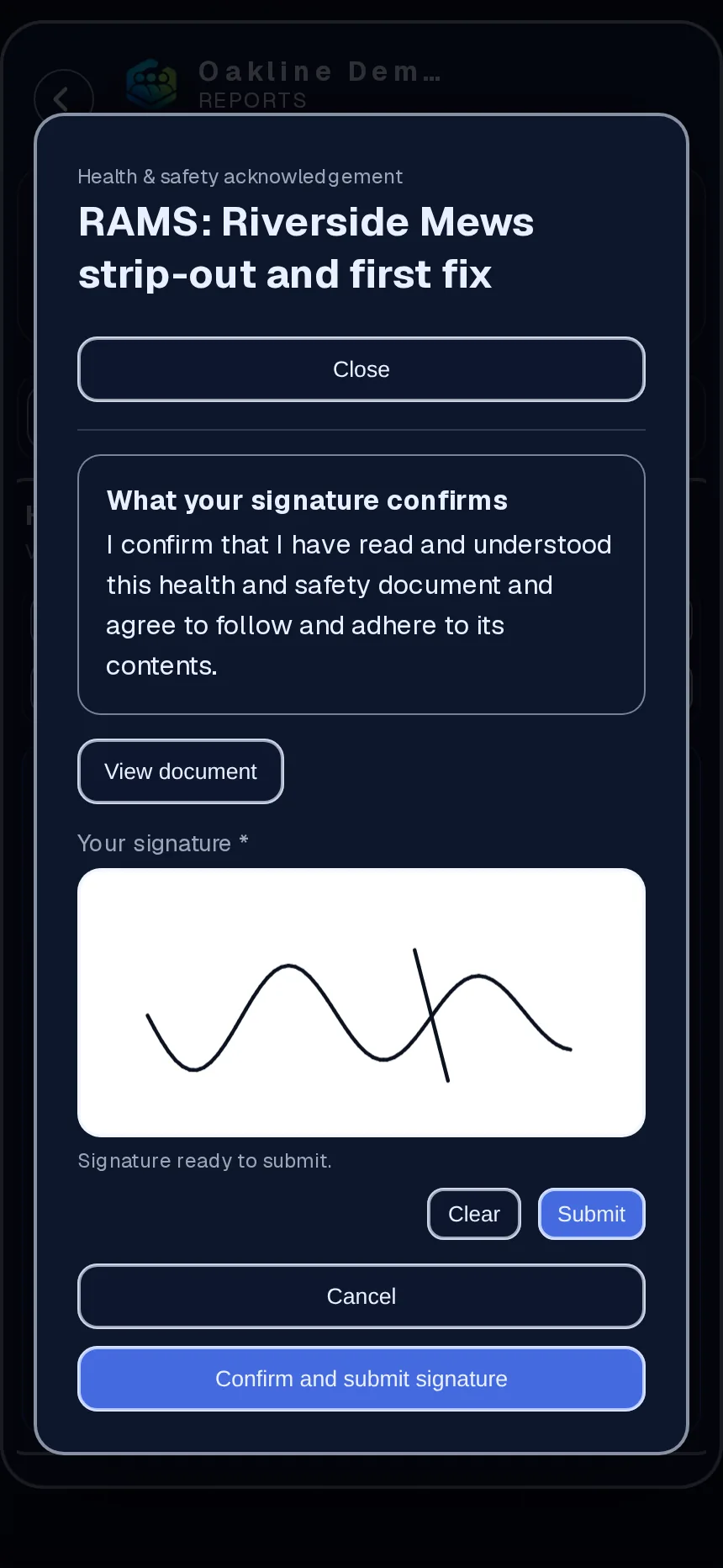
Staff sign on their phone to confirm they've read and understood it, drawing their signature under the statement shown with the document. A client signs in person on your team's phone or tablet and types their name; Employr doesn't send them a link. The signature, name and time are recorded.
The project and the safety document both show who has signed and who hasn't, so you can chase the gaps before work starts, not after something goes wrong.
In detail
Each acknowledgement belongs to one person and one document, with the date and time. It's easy to see at a glance, and easy to show someone who asks.
Use it for site inductions, toolbox talks, COSHH sheets, policies and training documents, anything people need to confirm they've read.
Upload the new version as a new document and assign it again, so everyone signs the version that applies. Keep the old one for your records.
RAMS is the UK name. If your teams work with SWMS, JSAs or safety statements, the same upload, assign and sign flow works.
Why teams use it
See who hasn't signed while there's still time to brief them.
Signatures live with the document, not on a sheet in a folder.
RAMS sign-off sits in the same app as clocking in, rotas and equipment sign-out, so there's no separate safety system to buy.
Team is £45 a month for up to 25 employees, however many jobs you run.
Employr collects sign-offs. It doesn't write or check RAMS, decide what's legally required or guarantee compliance. An acknowledgement shows someone confirmed they'd read the document, not that they were trained or competent. There's no RAMS-specific template or automatic re-sign when a version changes.
Keep exploring
Questions
No. You upload the RAMS you already use, or ones prepared by your safety adviser. Employr sends them to the right people and records who signed.
Yes. They open the form or document in the Employr web app on their phone and sign to acknowledge it. Clients sign a client form in person on your team's phone or tablet. Native Android and iOS apps are in development.
It's a dated record that a named person acknowledged the document. Whether that meets a client's or principal contractor's requirements is for you to check with them.
Upload the updated version as a new document and assign it again. Each person then signs the new version, and the old sign-offs stay on the old document.
Yes. Any health and safety or training document can be assigned and signed in the same way.
Forms, signatures and health and safety documents are on Team and above. Team is £45 a month for up to 25 employees.
Try it on your next job
Team adds safety documents, sign-off, projects and equipment. Start free and upgrade when you need it.