
Cards and tickets on file
Keep CSCS cards, licences and certificates on each person's record with expiry dates, so you're not hunting through photos when a site manager asks.
For construction and building trades
Employr keeps the rota, clock-ins, RAMS acknowledgements, tool sign-outs and client sign-off for each job together. It's made for small contractors who are tired of chasing paperwork.
Rota and clock-ins are free for up to 5 employees. Projects, RAMS and equipment are on Team.
The problem
On a typical small job, the rota is in WhatsApp, timesheets are on paper, the RAMS were signed on a clipboard nobody can find, and the SDS drill was last seen on another site.
When a client queries the hours, or asks who was briefed on the new method statement, you end up digging through photos and texts.
How a job runs in Employr
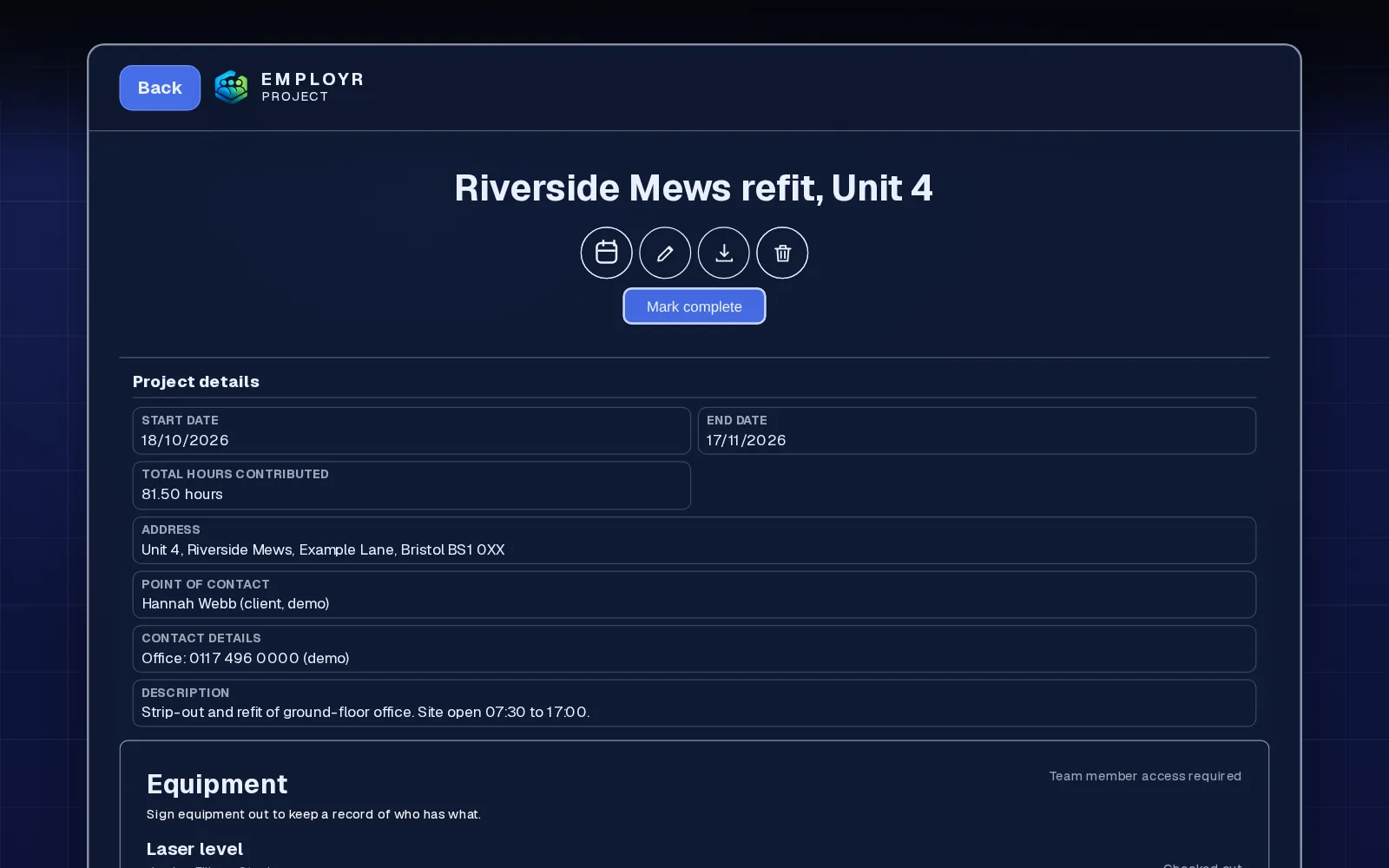
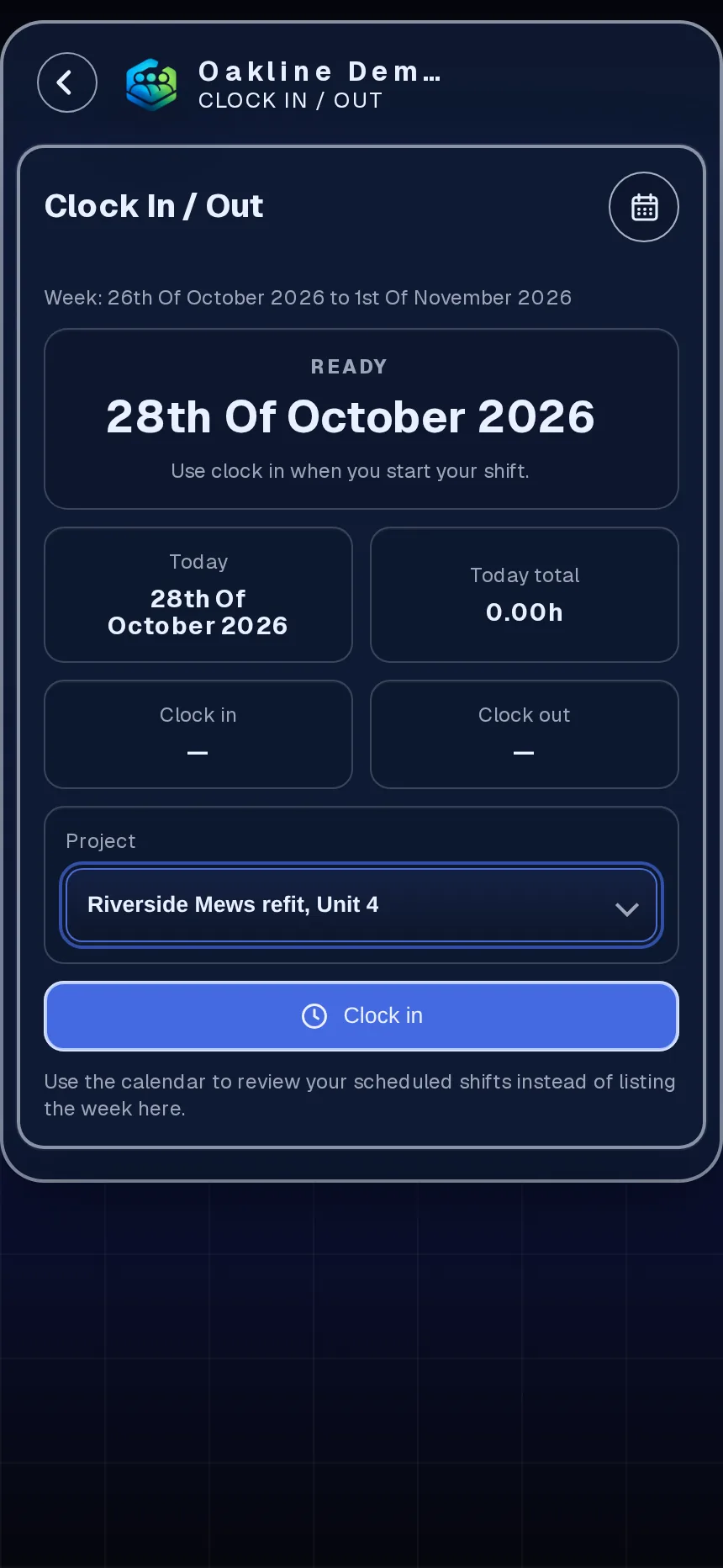
Create a project with the dates, site address, point of contact and the crew. Assign a team for your usual gang and add individuals for specialist work.
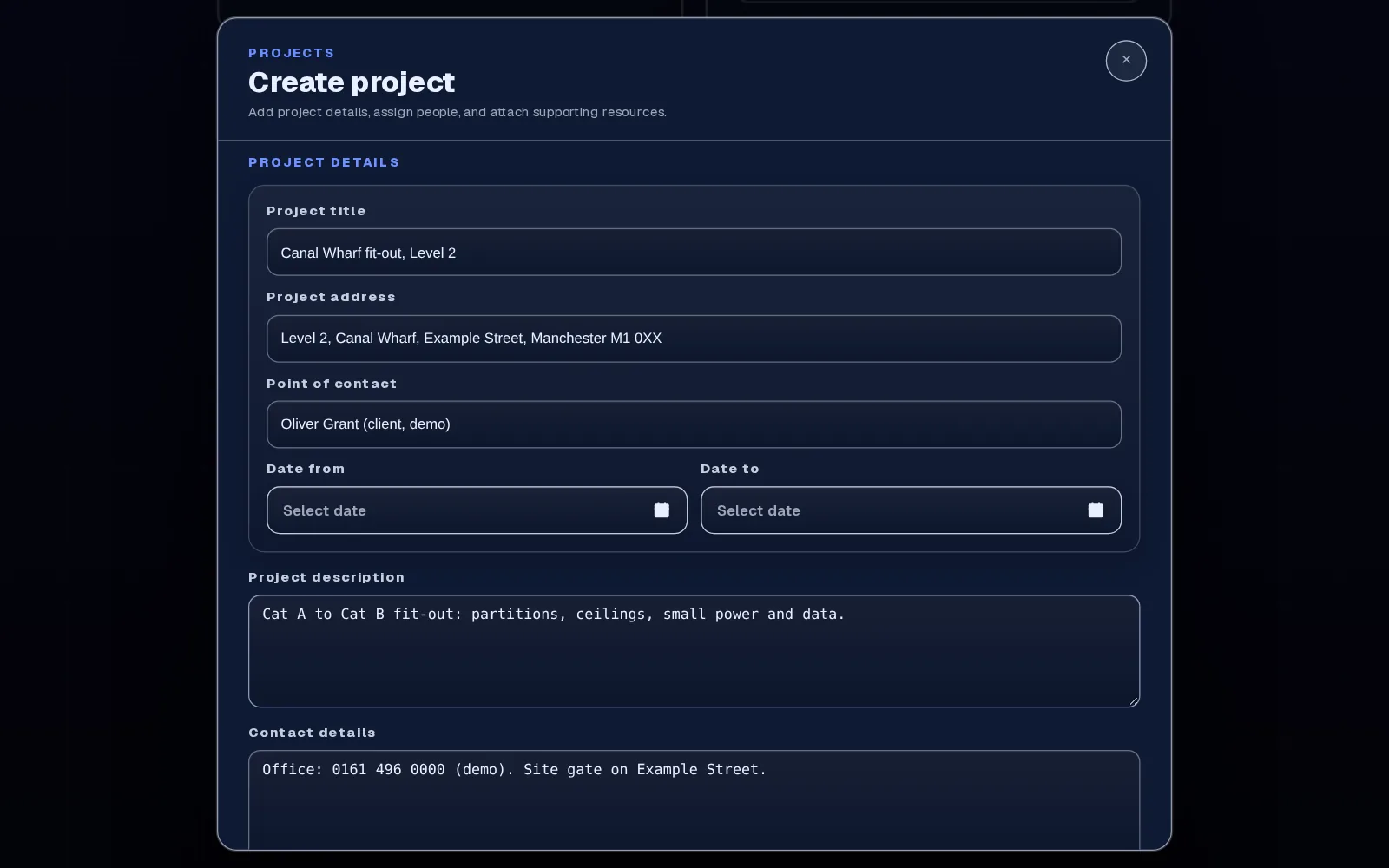
Build a form, attach the RAMS and add it to the project, choosing who signs: the team, roles, the supervisor or named operatives. Or send it as a safety document to the roles or people on the job. Each operative signs on their phone to confirm they've read and understood it (signature, name and time recorded), and you can see who still hasn't.
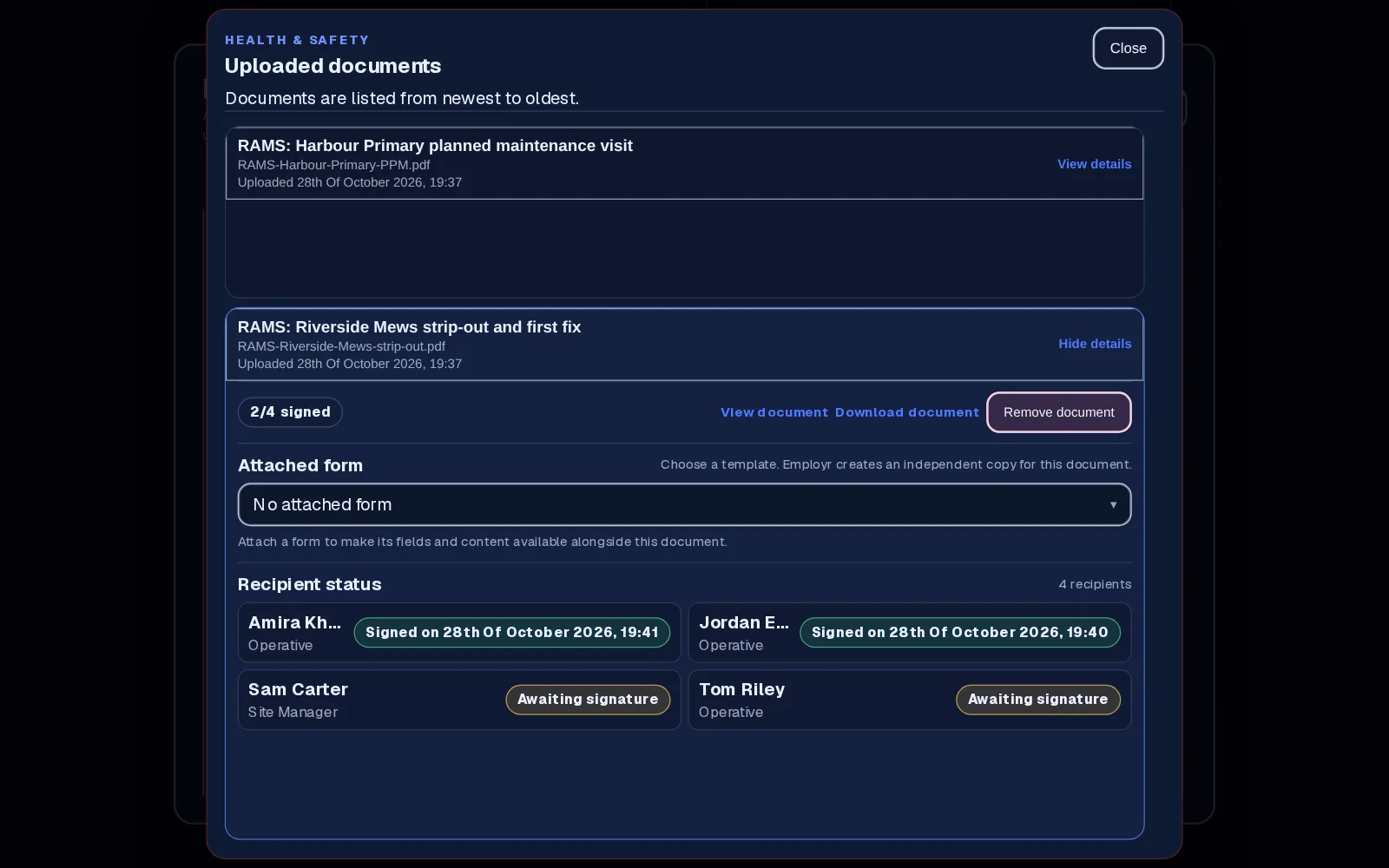
Operatives pick the project and clock in, so hours build up against the job. Mistakes go through a correction request, with the original entry kept.
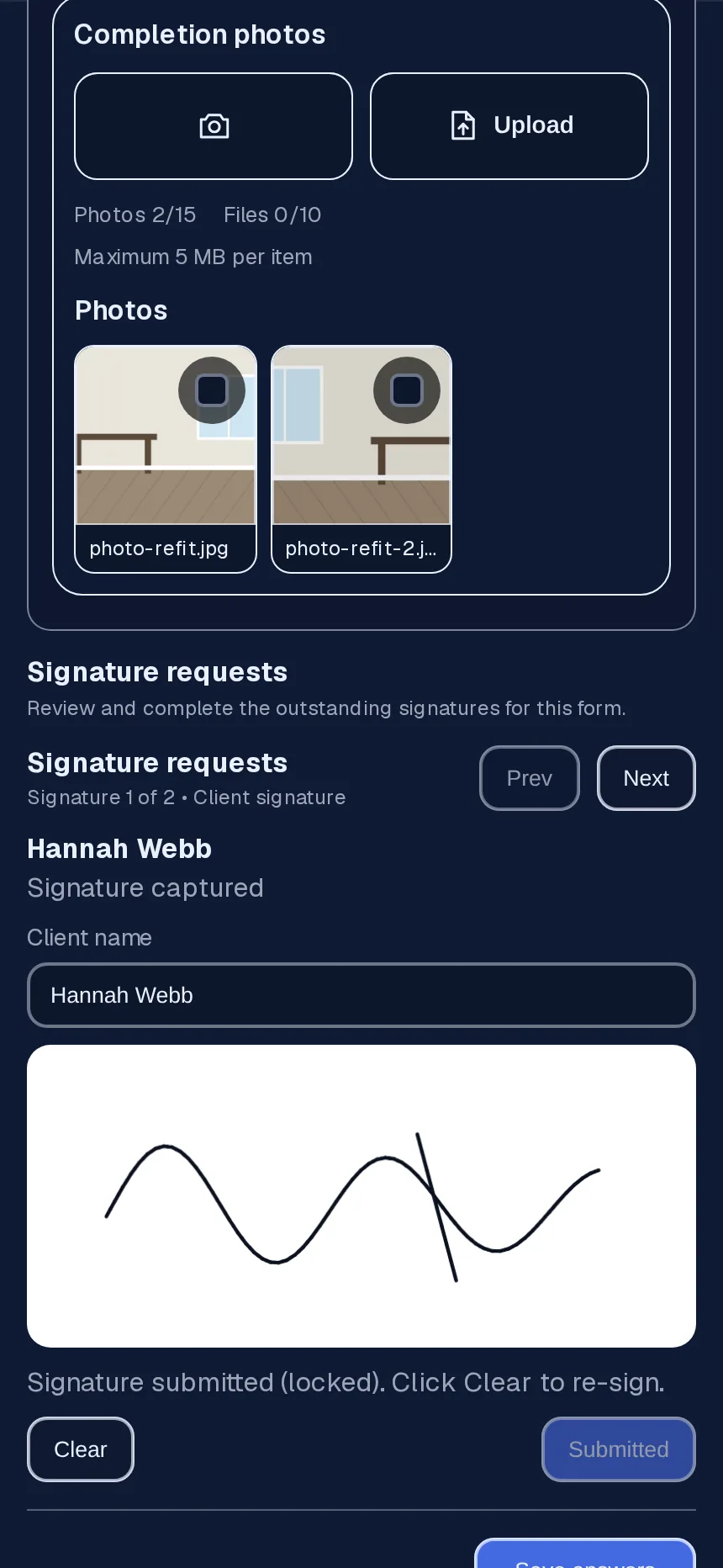
Book tools back in, have the client sign the completion form on a phone or tablet, then download the job records when you close the project.
Built around site work
Keep CSCS cards, licences and certificates on each person's record with expiry dates, so you're not hunting through photos when a site manager asks.
Each job gets its own record with dates, site address, point of contact, crew and lead. Documents, forms, equipment and hours all hang off it.
Group your regular gang as a team and assign the whole team to a job in one go. Add a specialist or an agency labourer individually.
Clocked hours per job feed pay breakdowns on Business and above, ready for whoever runs your payroll. Employr doesn't run payroll.
Why contractors use it
Each acknowledgement is recorded against the person and the document, so outstanding signatures are easy to chase.
Tools signed out to a job carry the operative's signature, and stay marked as out until someone books them back in.
Clocked hours are tagged to the project, so you can see what a job took and check it before pay.
Team is £45 a month for up to 25 employees. Taking on another labourer within that limit costs nothing extra.
Employr collects and keeps the sign-off record. It doesn't write your RAMS, decide what's legally required or guarantee compliance. A signed acknowledgement shows someone confirmed they'd read a document. It isn't proof of training or competence. Employr also doesn't run payroll.
Keep exploring
Questions
Most need Team: it adds projects, forms and signatures, RAMS and safety document sign-off, and equipment tools. It's £45 a month for up to 25 employees. Rota and clock-ins alone are free for up to 5.
Yes. You attach the RAMS to a form on the project, or send it as a safety document, and they sign it in the Employr web app on their phone. You can see who has signed and who hasn't.
Yes. Add a client form to the project and the client signs it in person on your team's phone or tablet; Employr doesn't email them a link. Staff sign a separate team form on the same project, and photos and answers stay with the job.
No. Location can be recorded at clock-in if the worker's phone already allows it, but it's optional and there's no tracking during the day.
No. Employr needs an internet connection to save records. If the signal drops while someone is submitting, they should reconnect and check it saved before trying again.
No. You upload the RAMS you or your safety adviser have prepared, or build a form with the questions, photos and signatures your process needs and attach your RAMS to it. Each operative signs on their phone to confirm they've read and understood it (signature, name and time recorded). What goes in the RAMS is your decision.
Yes. Employr isn't tied to one country. You set your own documents, forms and roles. RAMS is the UK name; if you use SWMS, JSAs or method statements, the same sign-off flow works.
Try it on your next job
Rota and clock-ins are free for up to 5 employees. Add projects, RAMS and tool sign-out on Team.