
Hazard
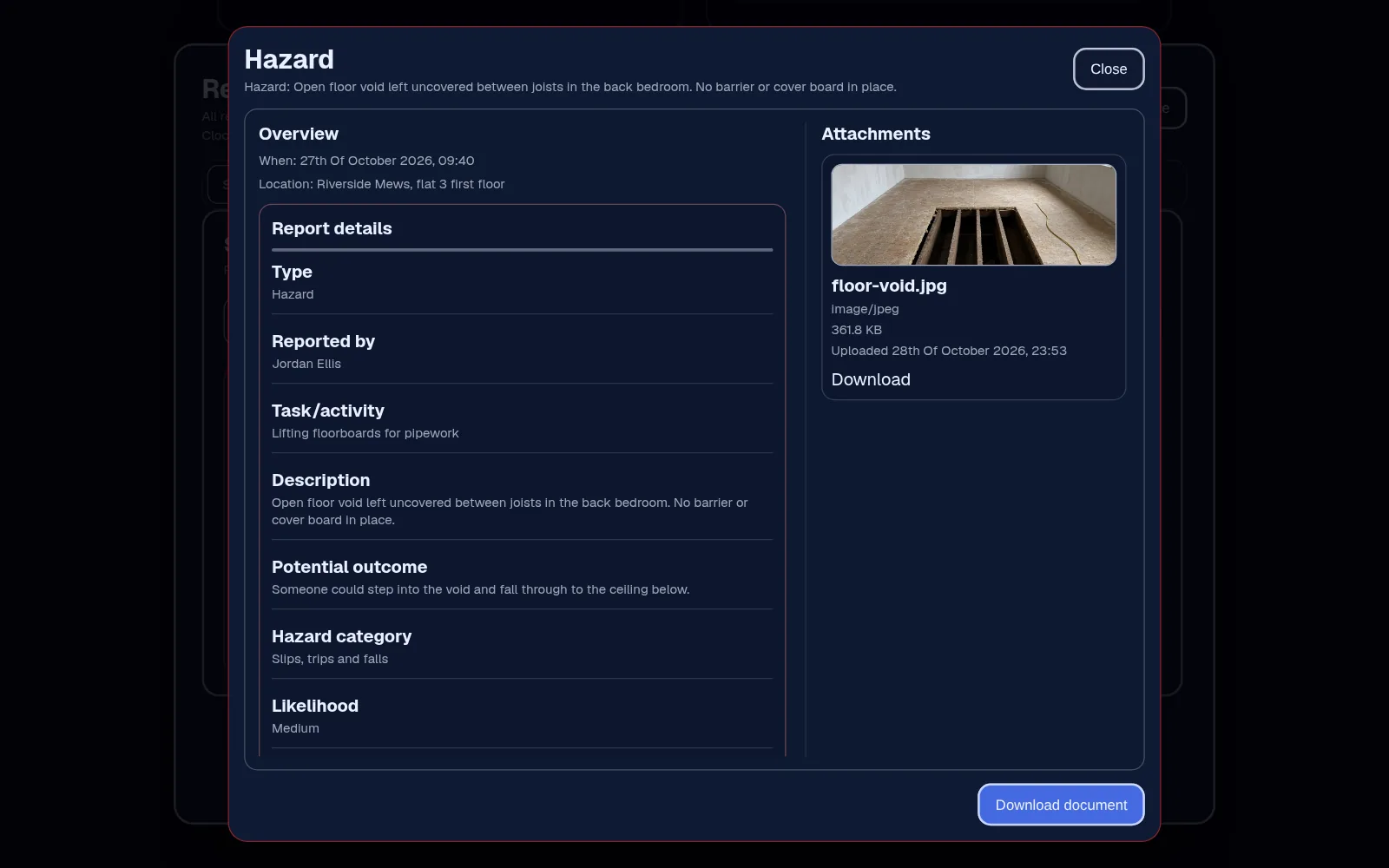
A condition with the potential to cause harm, whether or not anything has happened yet, such as a trailing cable, a missing edge protection board or a wet floor with no sign.
Hazard & near-miss reports · From Team
Give staff a quick form for a hazard or near miss and a fuller one for an accident, with the facts and photos, and give authorised managers one place to review and follow them up.
Safety reports, forms and signatures are on Team, £45 a month for up to 25 employees.
The problem
Someone nearly steps through an open riser, or a ladder slips and nobody's hurt. It gets mentioned at break, maybe in the group chat, and by the next day it's a story rather than a record.
The paper form is in the cabin, the photos are on one person's phone, and when you want to see whether the same thing keeps happening, there's nothing to look back on.
How it works in Employr
In an emergency, call the emergency services and follow your site's procedure first. Employr isn't an alarm and doesn't contact anyone for you. The report comes after.
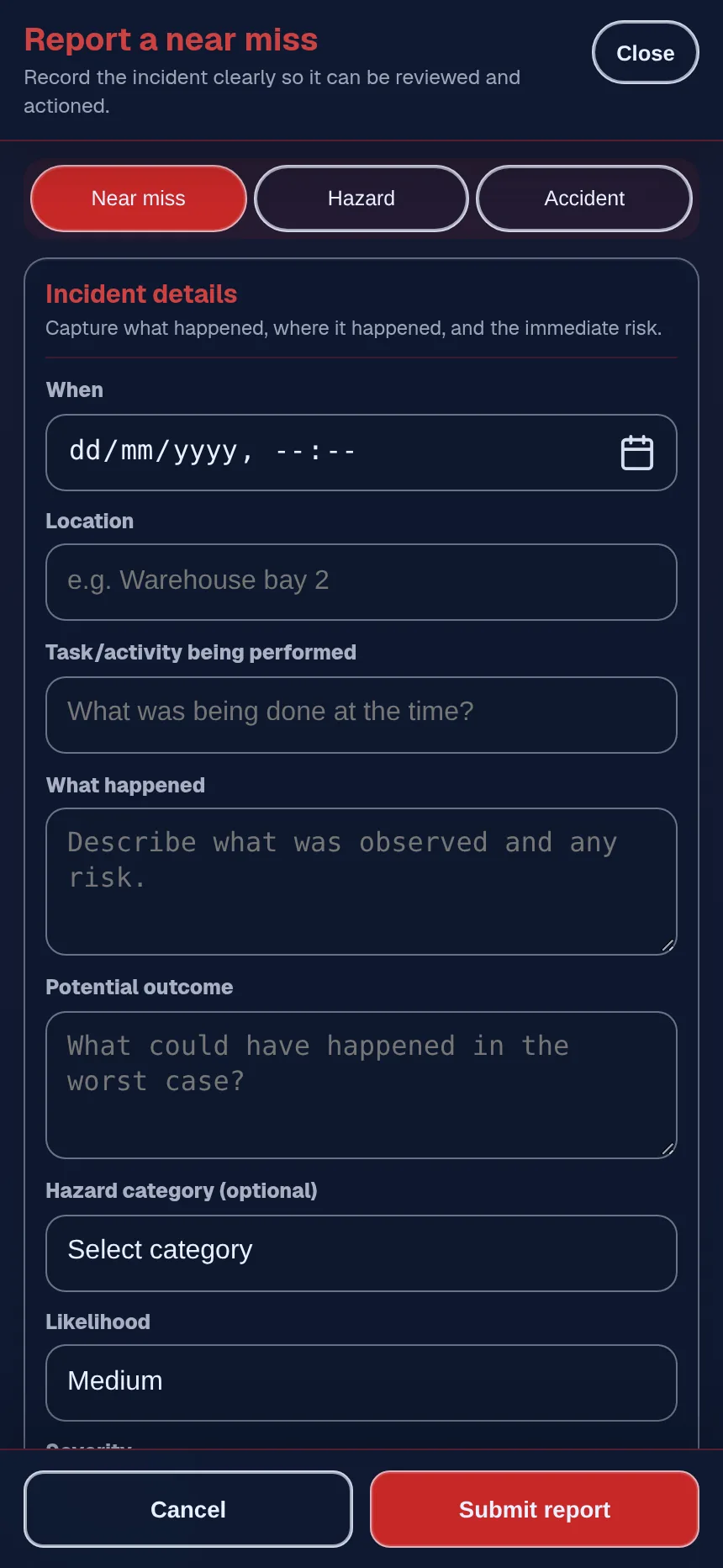
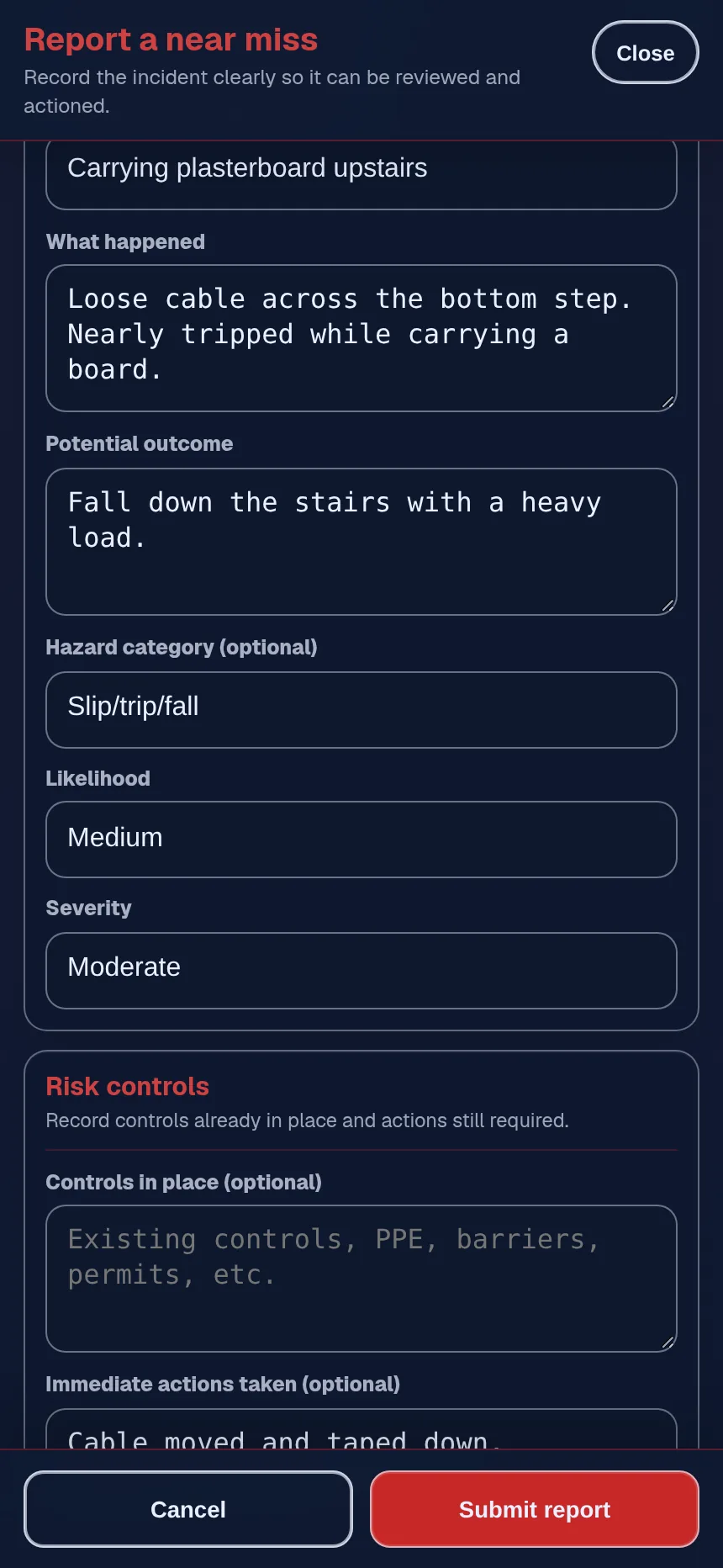
The employee chooses hazard, near miss or accident, then adds the date and time, the location, what happened, any immediate action taken and any witnesses, from their phone. Accident reports also record the injured person and the injury.
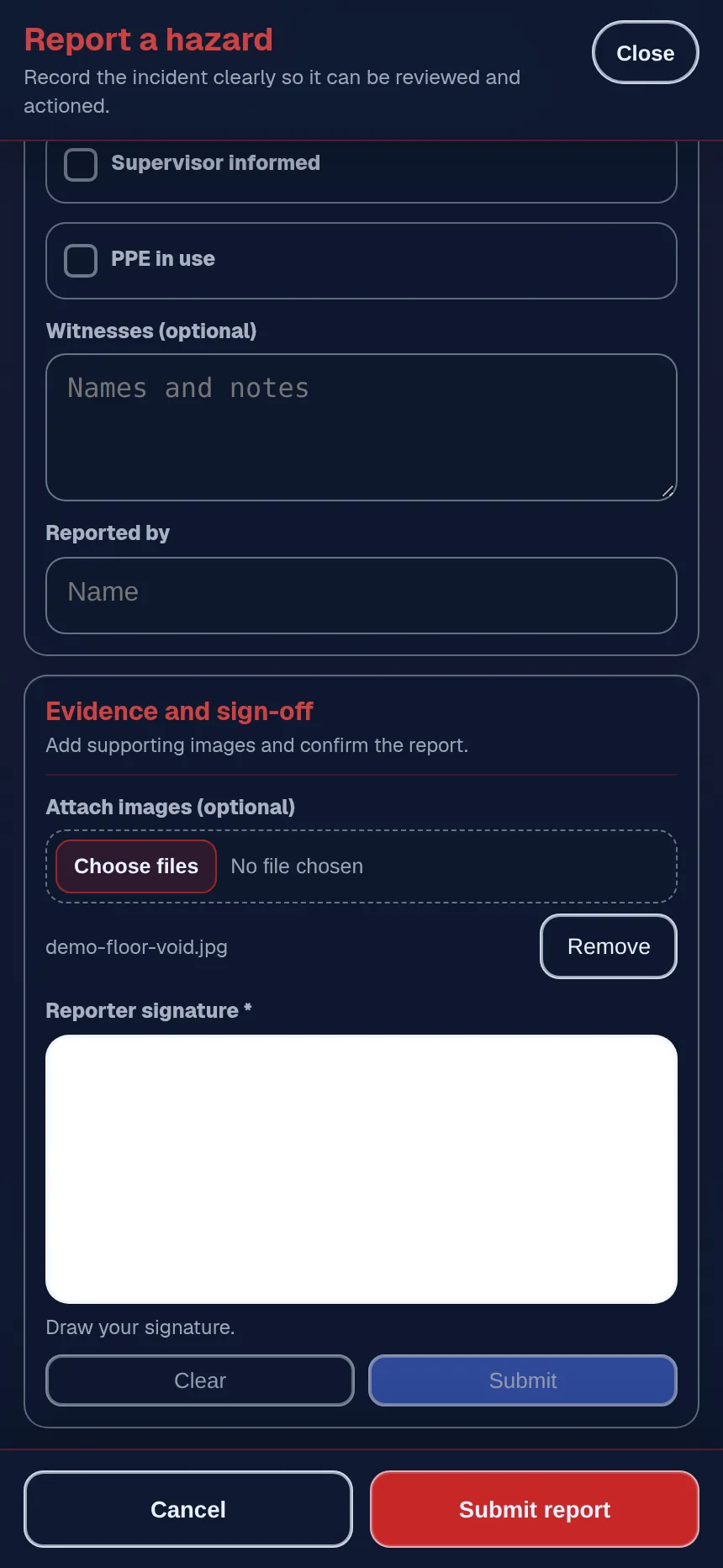
Attach up to five photos with the report, when it's safe and permitted. They stay with the record instead of on someone's camera roll.
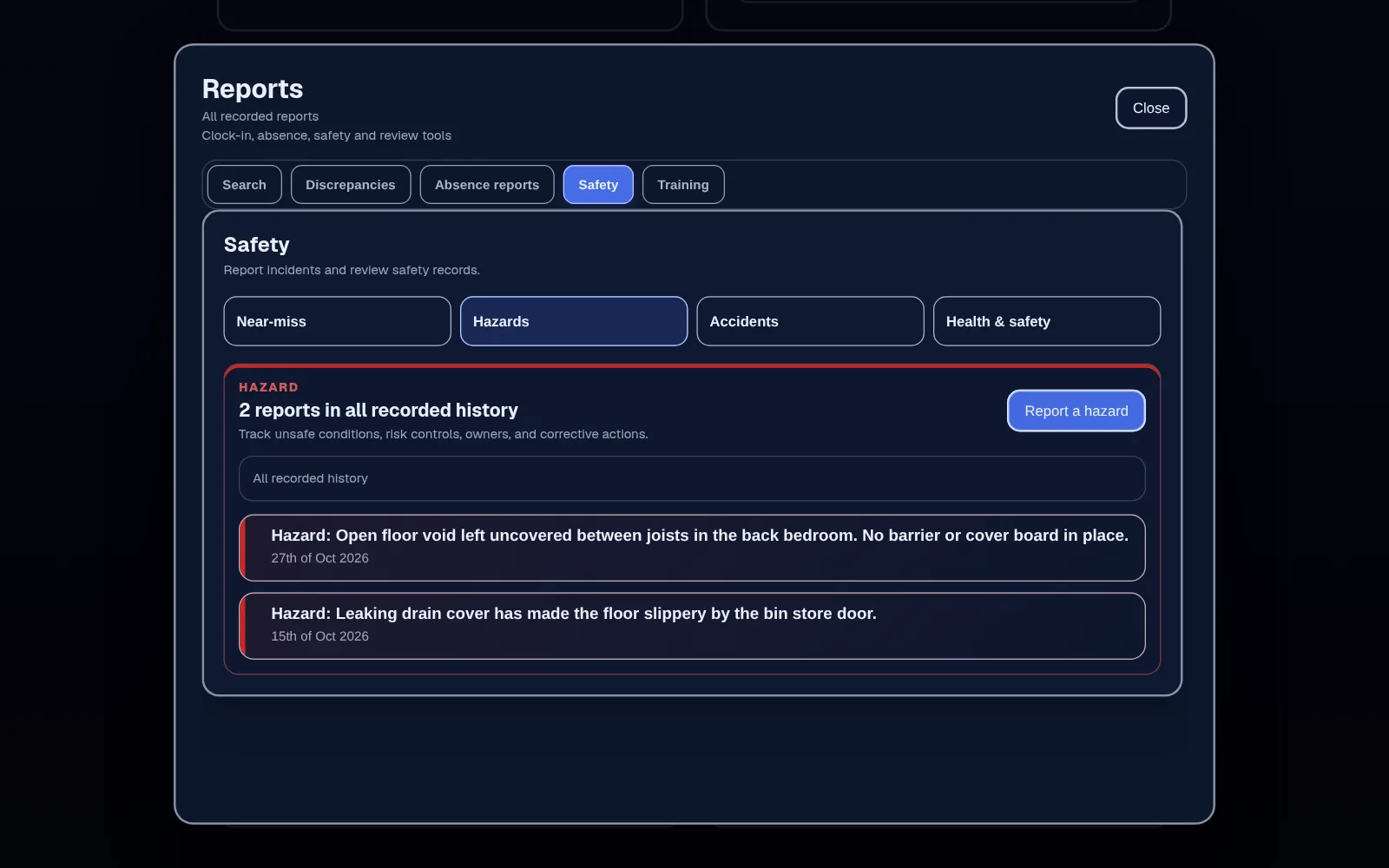
Authorised managers see reports in the Safety tab of Reports, filter them by type and date, open each one, and decide on controls, investigation and whether it needs reporting anywhere else.
In detail
A condition with the potential to cause harm, whether or not anything has happened yet, such as a trailing cable, a missing edge protection board or a wet floor with no sign.
An unplanned event that didn't cause injury or damage but could have. A pattern of near misses is an early warning, so they're worth recording even when nobody's hurt.
An event that caused injury, ill health or damage. Record the facts in neutral language and keep health details to what the review needs.
You choose which roles can report and which can review. Reports can contain health, witness and other sensitive details, so keep review access to the people who need it.
Employr helps you collect and organise reports. It doesn't make your workplace compliant, replace competent safety advice, decide whether an incident must be reported under RIDDOR, or report anything to HSE or contact emergency services for you. It isn't a lone-worker alarm. It needs an internet connection to save a report.
Keep exploring
Questions
Yes, if their role allows it. They open Near miss & hazards in the Employr web app on their phone, choose near miss and fill in the facts. Native Android and iOS apps are in development.
No. Employr doesn't decide whether an incident is reportable or send reports to HSE. HSE's RIDDOR pages explain what must be reported and how. Your responsible person makes that decision.
A hazard is something that could cause harm, even if nothing has happened. A near miss is an event that could have caused injury or damage but didn't. An accident is one that did.
Yes. Up to five photos can be attached to a report. Only take them when it's safe and permitted, and leave out anything the review doesn't need.
Employr keeps a record of the reports your team submits. Whether that meets your own accident book and record-keeping duties is for you to check, for example against HSE's guidance.
Only the roles you allow. Reporting and reviewing are set separately, so you can let everyone report while keeping review to authorised managers.
Safety reports are on Team and above, alongside safety documents, forms and signatures. Team is £45 a month for up to 25 employees.
Try it with your team
Add safety reports alongside RAMS sign-off, projects and equipment. Start free and upgrade when you need it.